Advance payments
In the course of business, the question of prepaying for products or services regularly arises. Let us look at how this is handled in ERP FOSS.
Advance payments for purchases
Let us create a Purchase order and save it, specifying the supplier and the product.
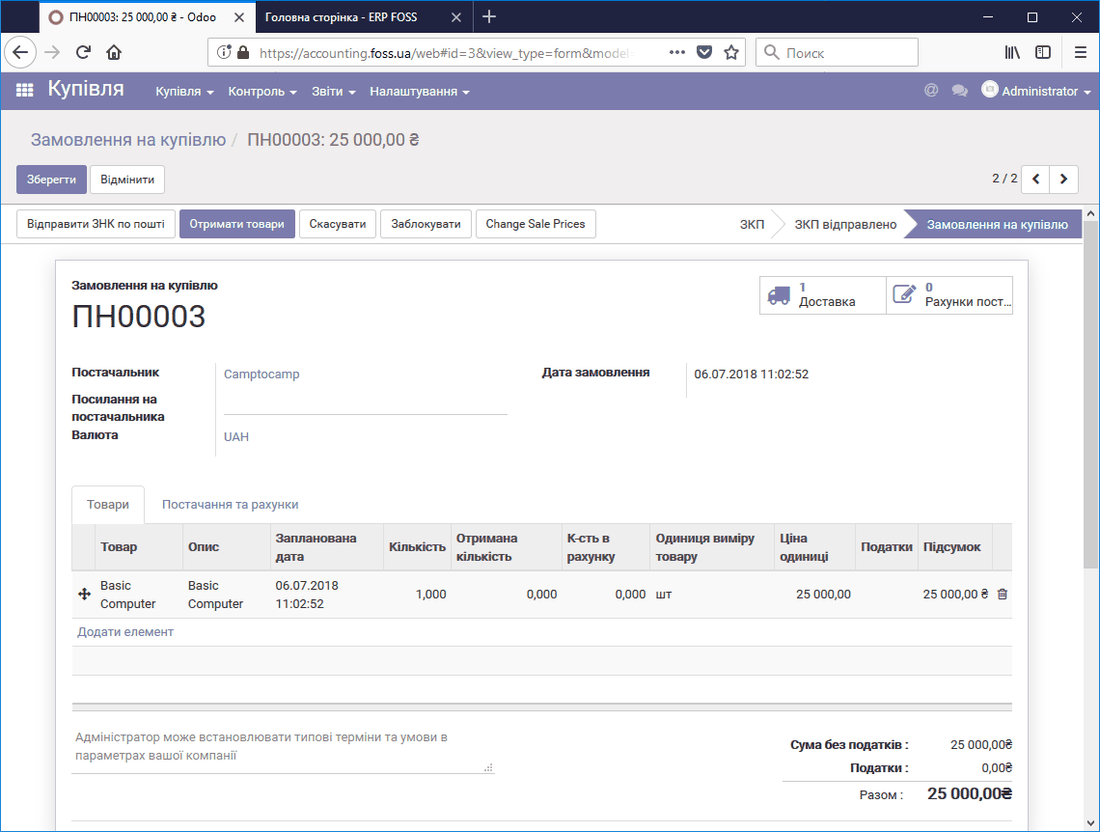 Purchase order
Now, if we have received an invoice for an advance payment from the supplier, we register this payment, specifying which Order the advance payment relates to. To do this, go to the module Accounting/Purchases/Payments and create a payment, filling in all the required details. In the Payment purpose field, be sure to specify which order the advance was paid for. This will be needed later when registering the final payment of the invoice if you have several payments to this supplier.
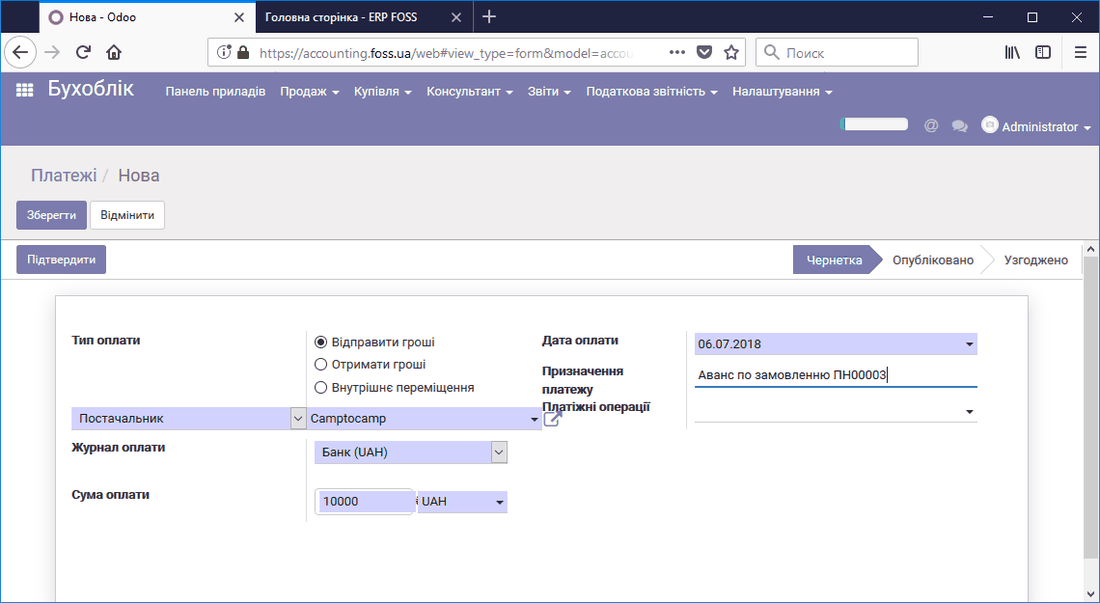 Creating an advance payment for a purchase
After the payment is confirmed, we see that our supplier owes us 10000 UAH. That is, the supplier has received the payment but has not yet supplied the product for it.
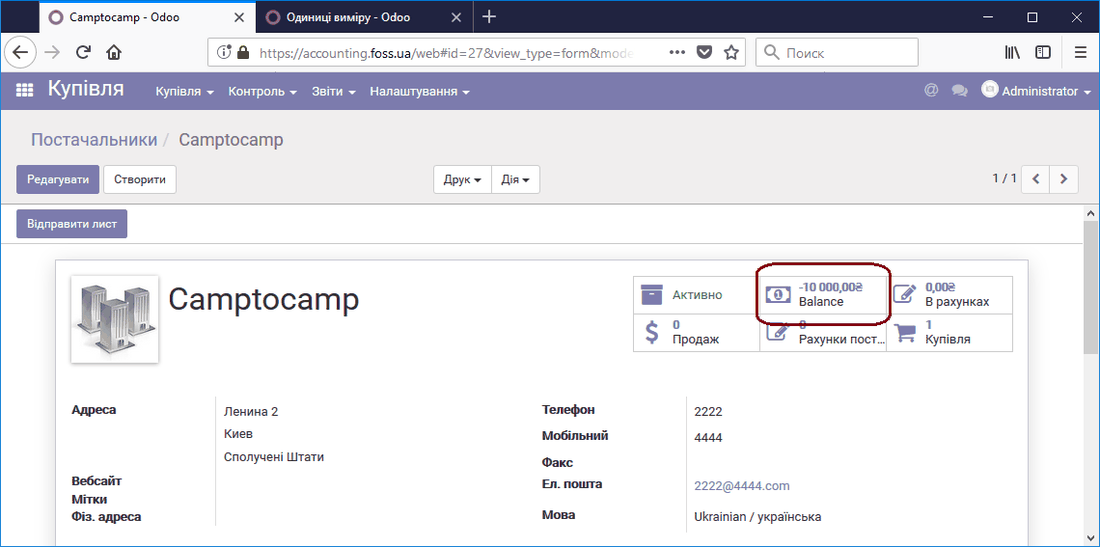 Supplier debt
After you receive the product (delivery is done), you must pay the remaining amount under your Purchase order. To do this, open it and click the Supplier invoices button.
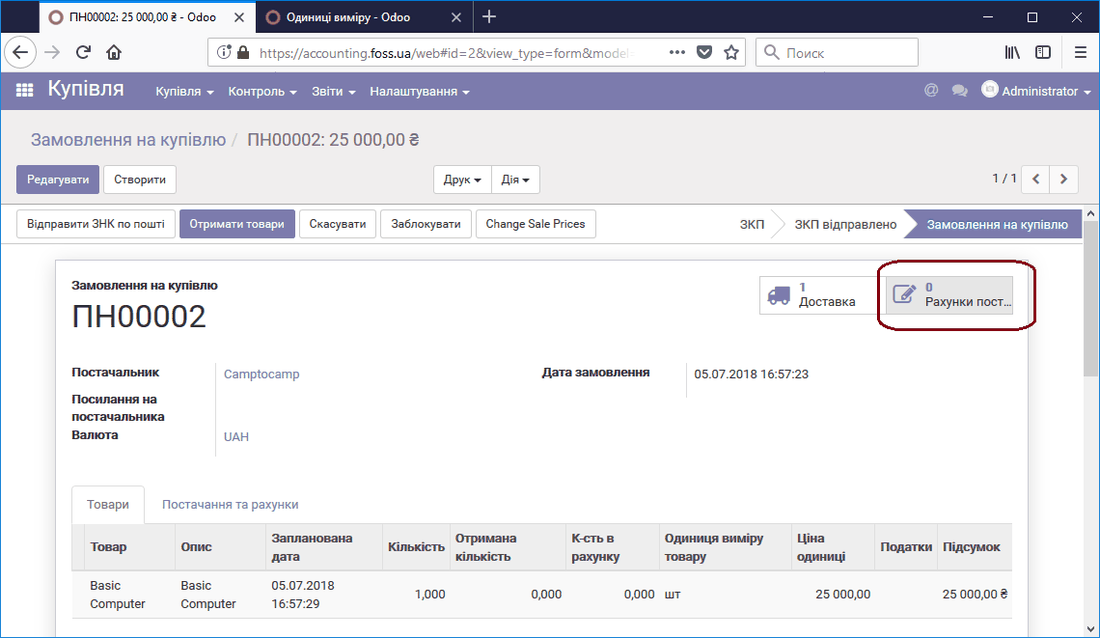 Creating a supplier invoice
After you create the invoice, when paying it the program warns you that an advance has already been paid and it can be taken into account when paying the invoice.
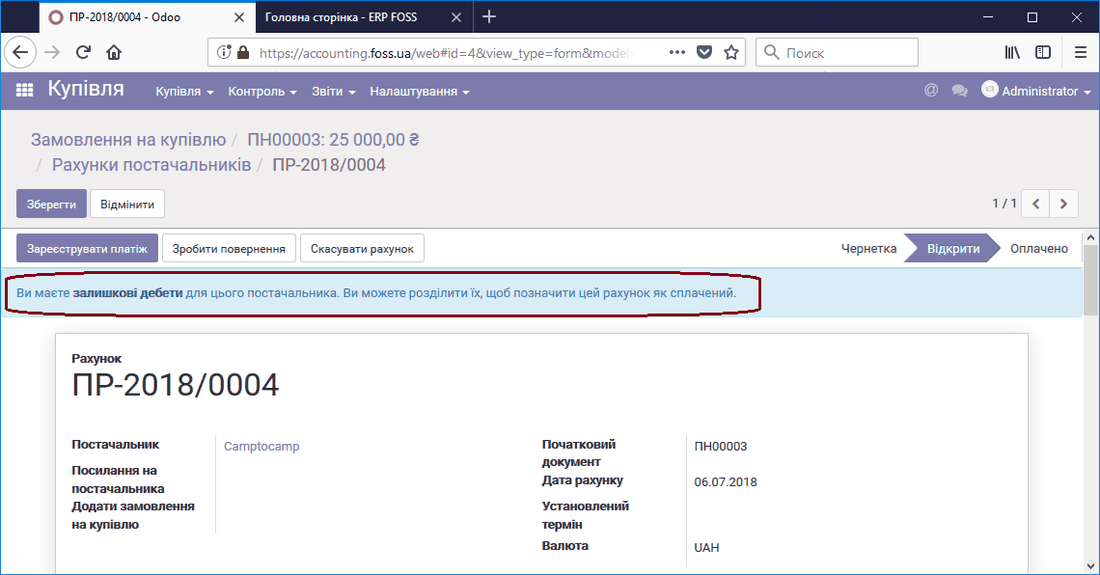 Outstanding payments to the supplier
The lower part of the invoice shows the specific outstanding debits. In our case, this is the advance payment of 10000 UAH. To take this advance into account, click Add, as shown in the figure below.
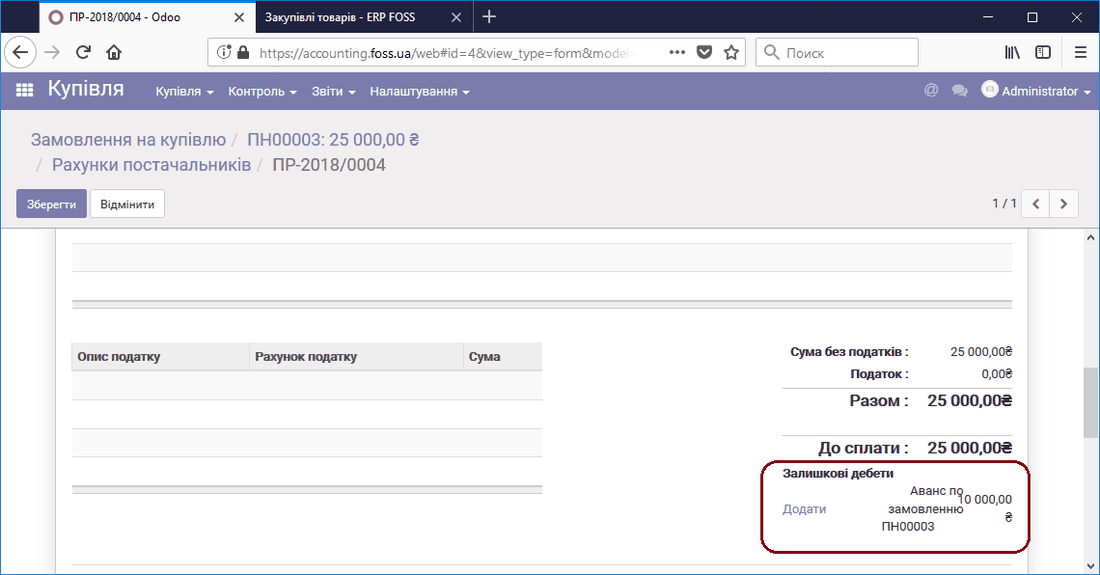 Payment taking the advance into account
After the Outstanding debit is selected, the amount due will be 15000 UAH.
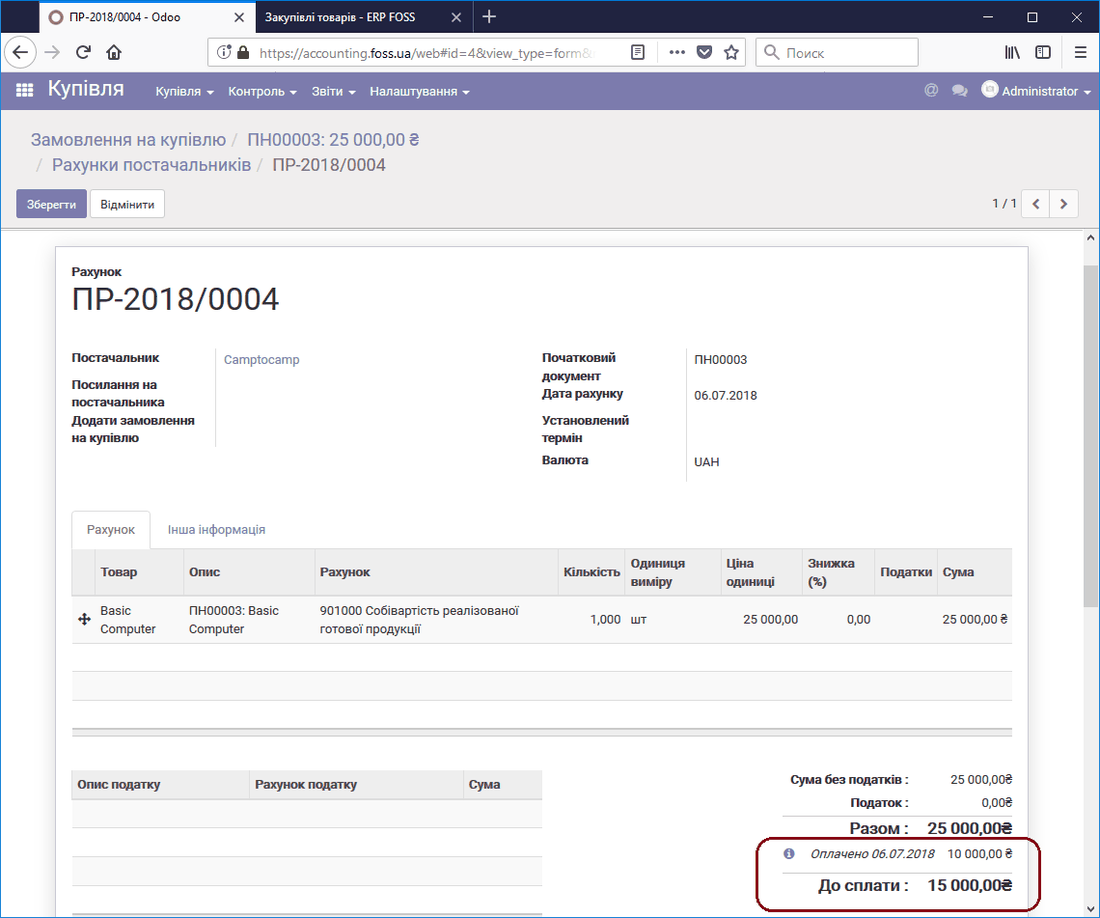 Payment amount taking the advance into account
Now we can register the remaining payment that is due.
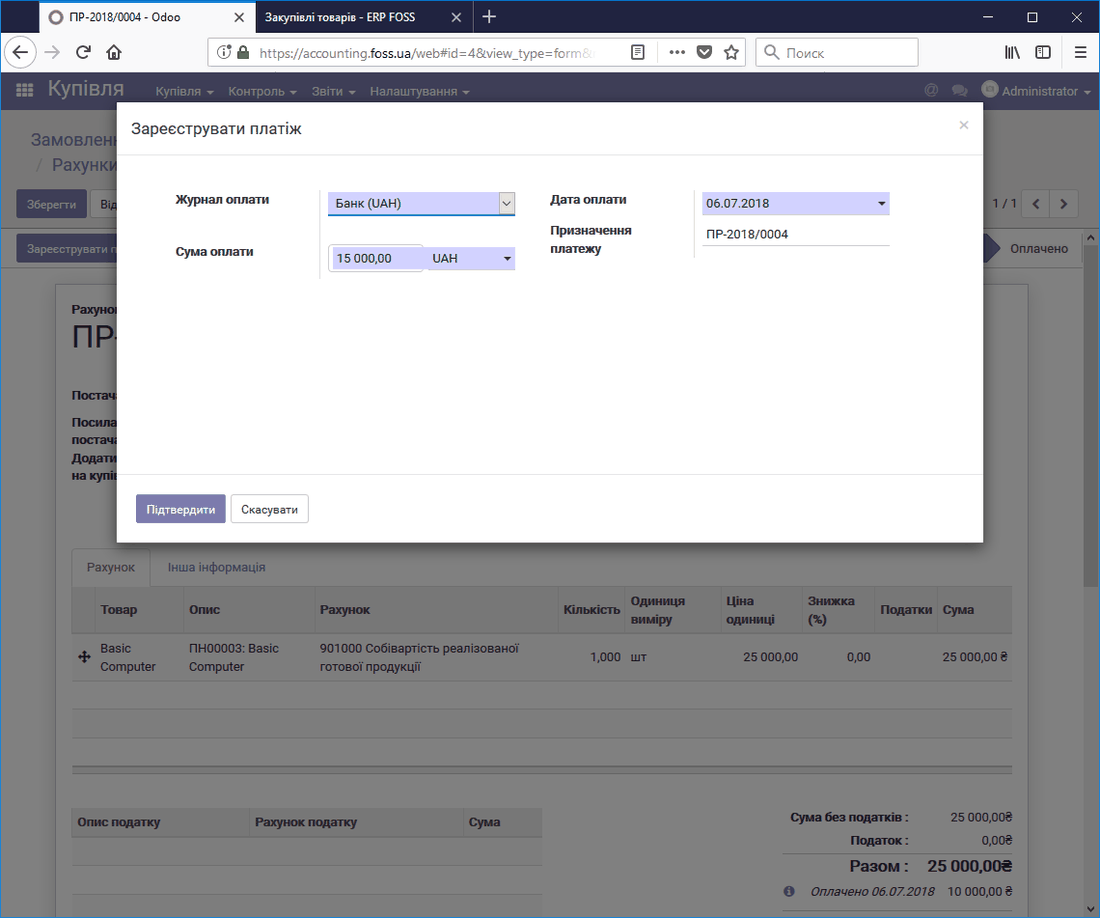 Registering the remaining payment for the product delivery
The figure below shows that the whole amount is now paid by two payments. If you click the "i" icon, you get information on each of the payments.
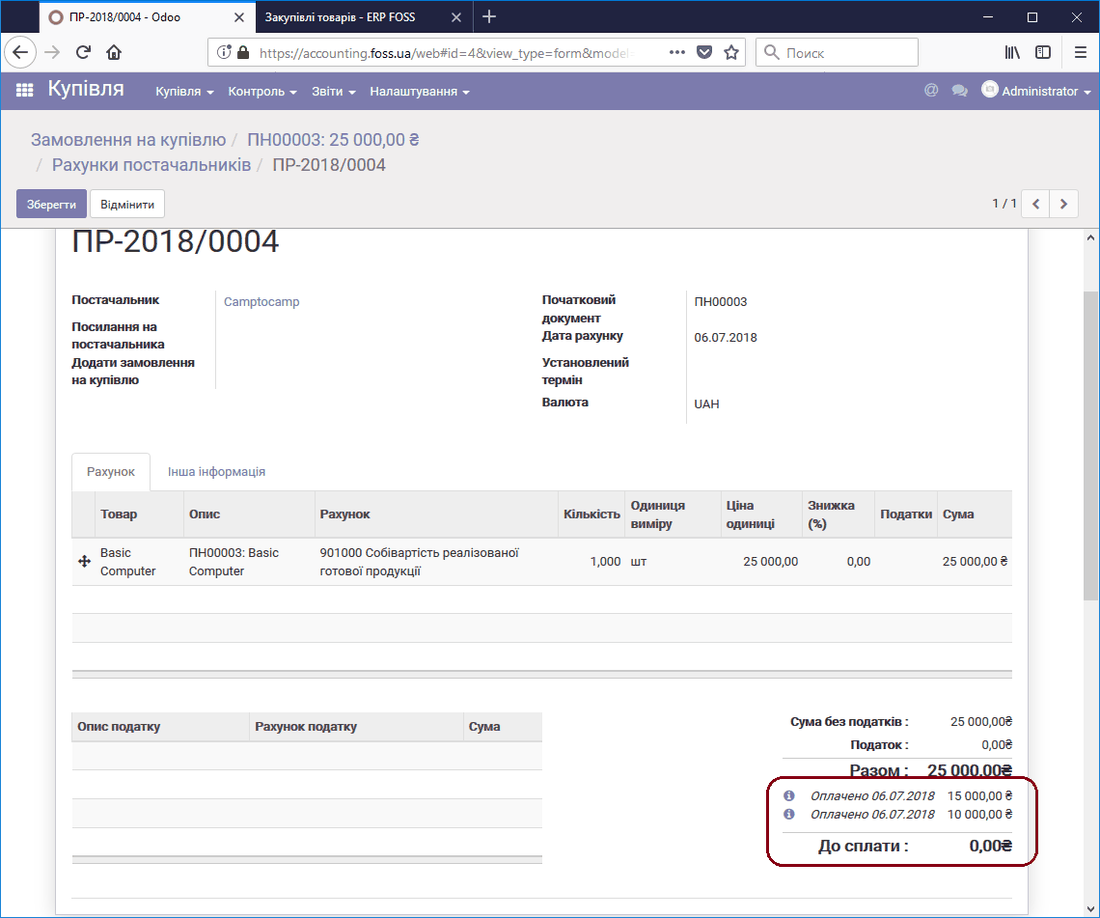 Final view of the invoice
Advance payments for sales
Two methods can be used to take advances into account in sales. The first is as described above, only applied to sales operations.
The second uses the product "Customer advance payment" of the Service type. To do this, we create a Sales order and create an invoice for its payment.
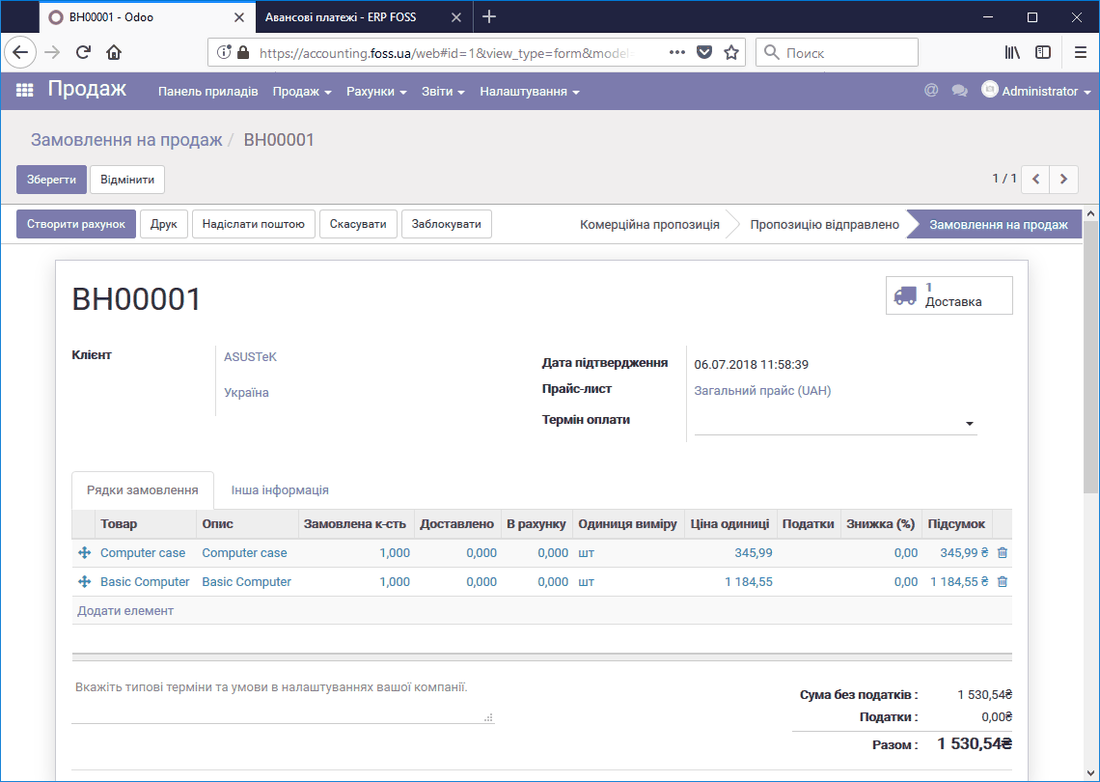 Sales order
When preparing the invoice, you can choose prepayment options as a percentage of the amount or as a fixed amount.
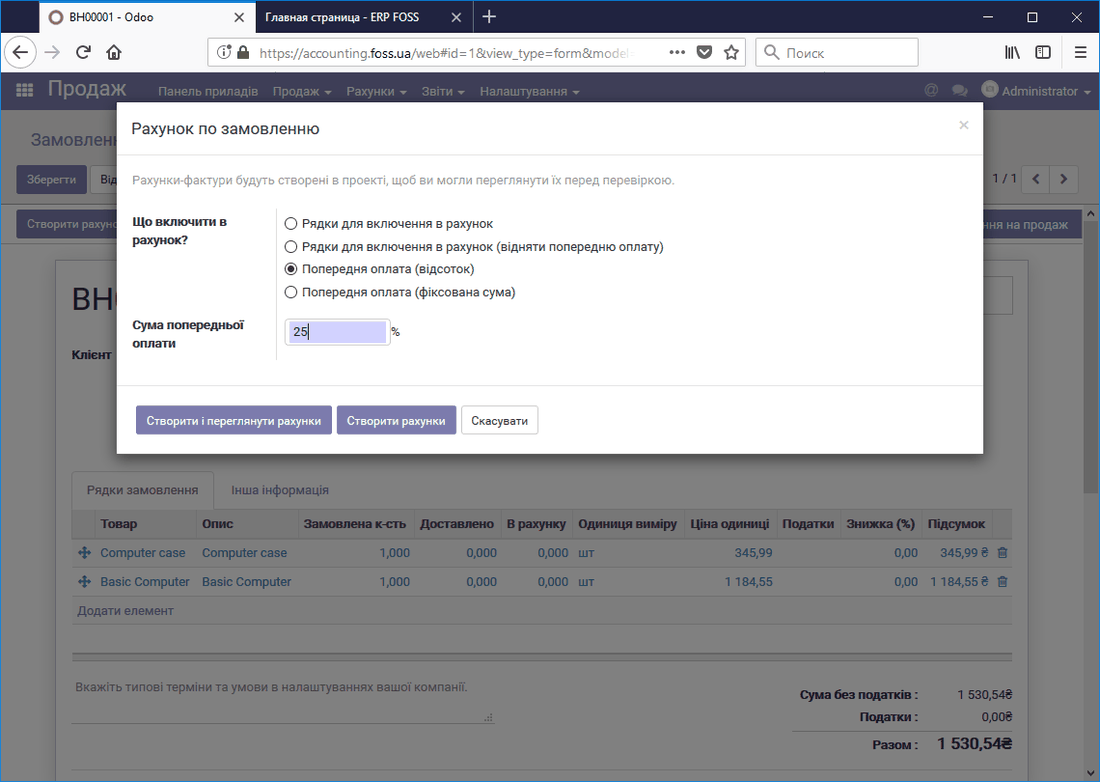 Creating an invoice for an advance payment
As a result, an invoice for 25% of the original order amount is created.
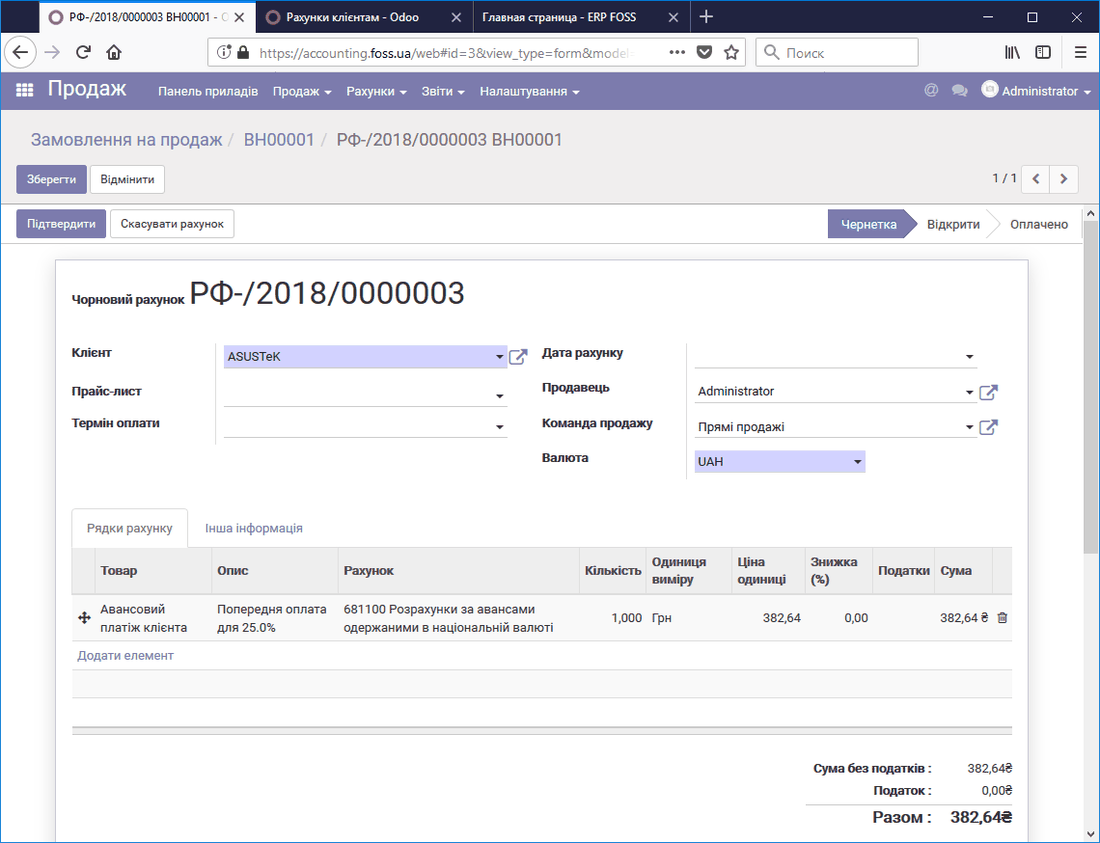 Invoice for a customer advance
After this invoice is created, a line with a record of the advance payment is added to our Sales order. The order amount itself does not change.
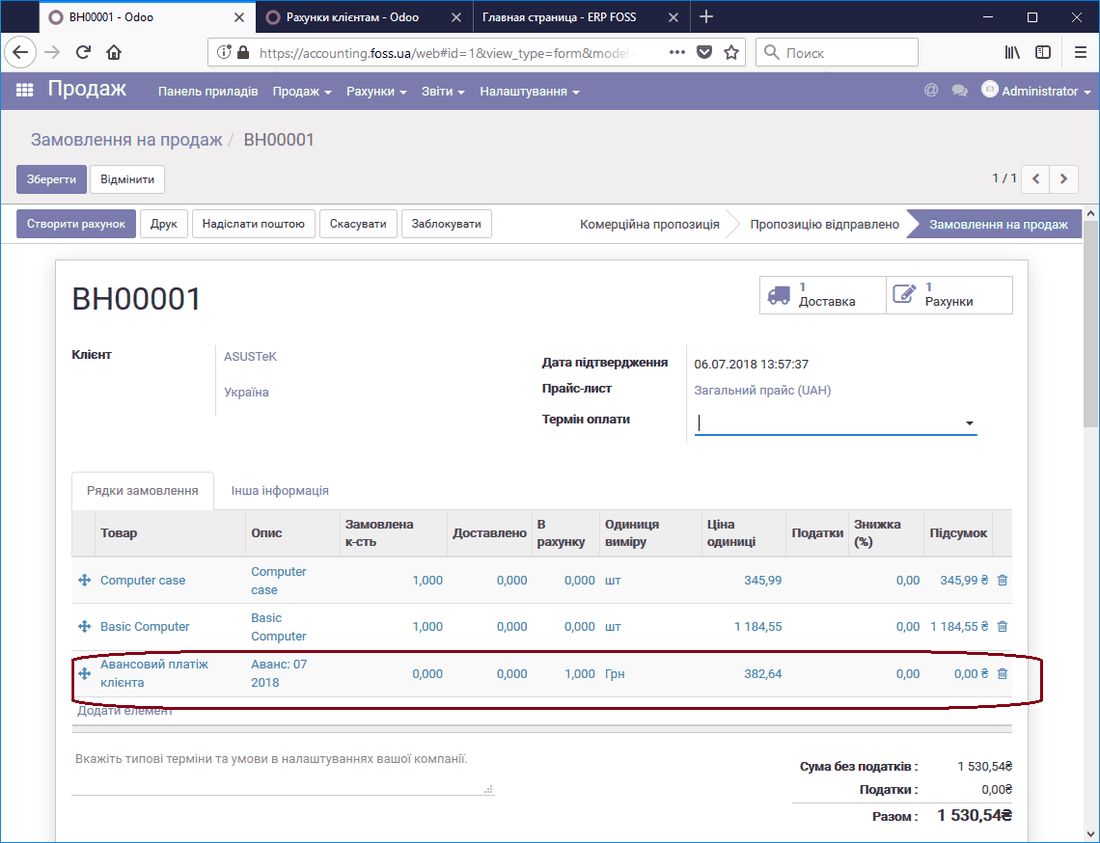 Order with an advance
The status in the sales order will be "To invoice", which indicates that the invoice has not been issued for the full amount.
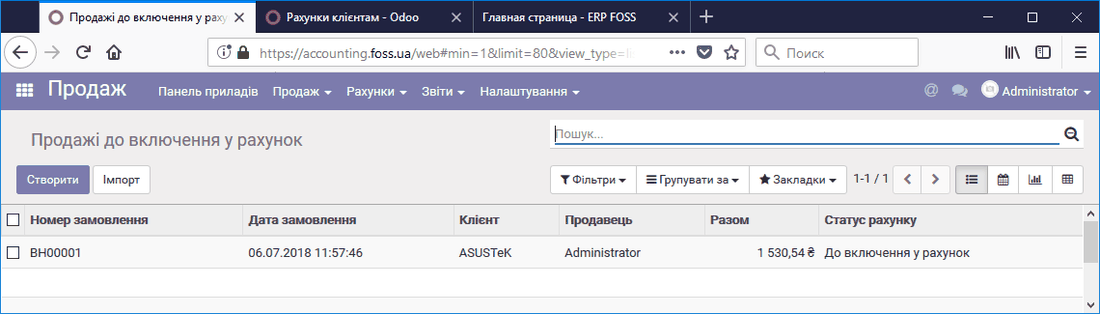 Invoice status in the sales order
In addition, the Sales shipments report shows that, with an order amount of 1530.54 UAH, 382.64 UAH has been paid for the order.
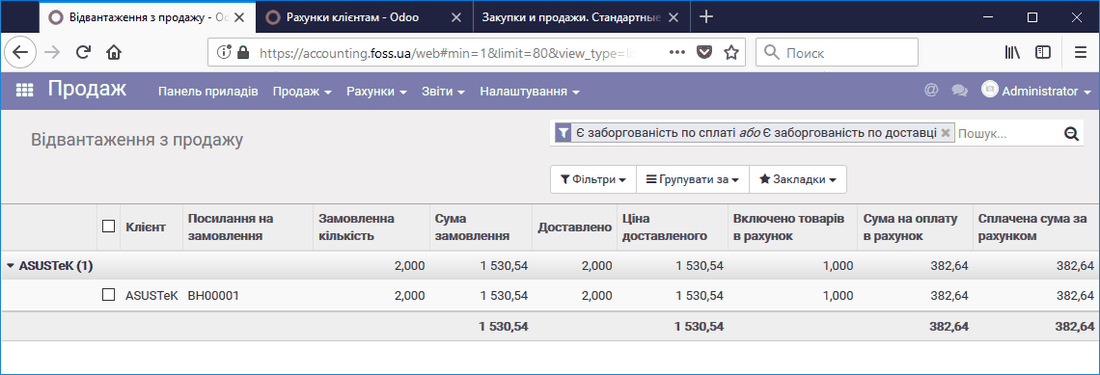 Sales shipments
After delivery is confirmed, you can create the final invoice taking into account the previously paid advance.
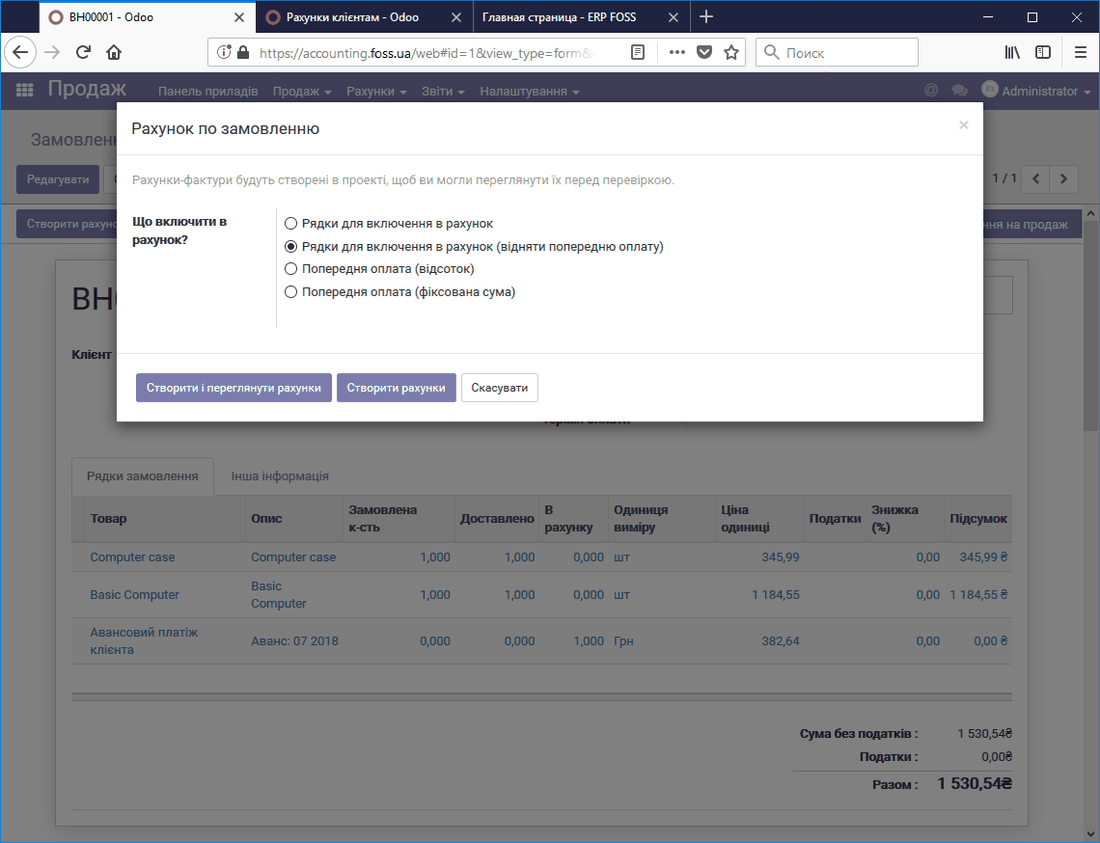 Creating an invoice for the remainder
The final invoice shows the amount of the previously paid advance. This amount is subtracted from the total order amount.
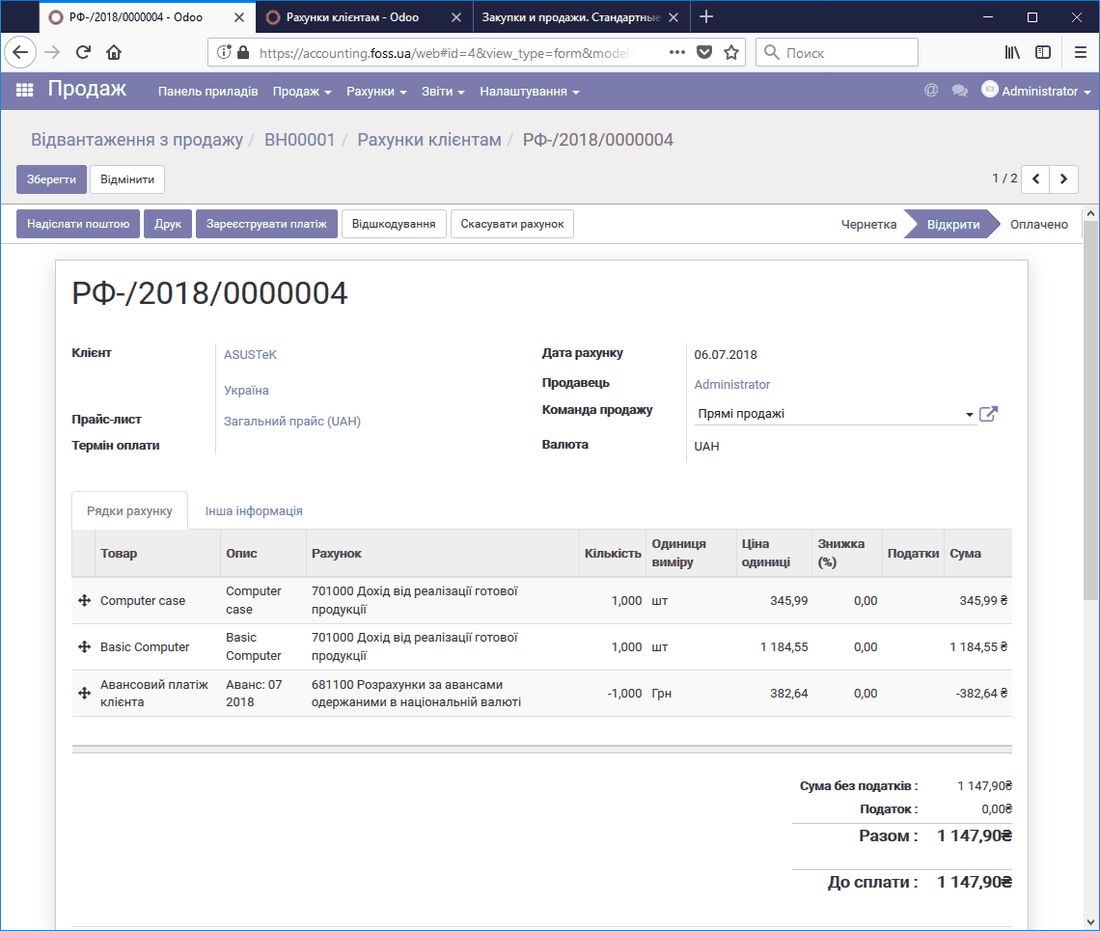 Final invoice taking the advance into account
After the payment for this invoice is registered, all mutual settlements with your customer for this order will be completed.