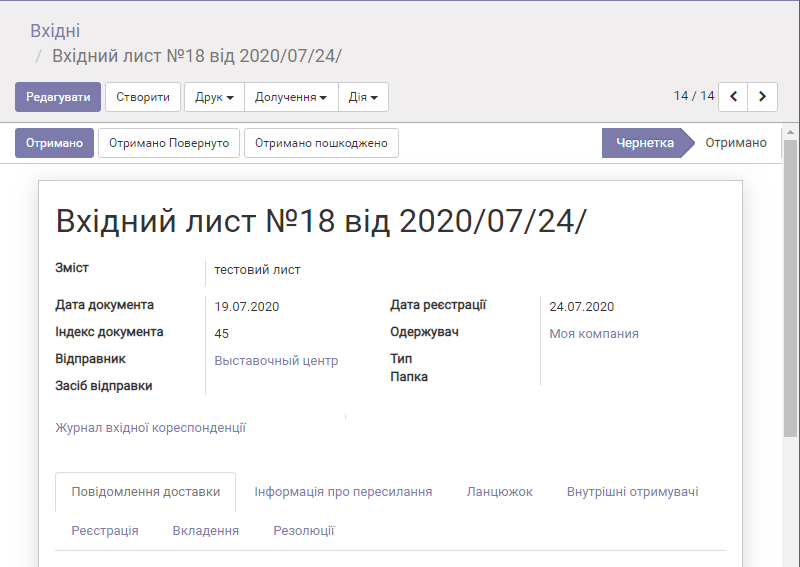
Document registration and journals
This section covers topics related to document registration in the system.
Setting up a document registration journal
Each document type in the system has its own registration journal. The journal is used to keep records of documents of this type and to assign registration numbers to them.
Usually a journal is used for one year, and a new one is created for the next year.
To work with journals, a user needs Manager level access.
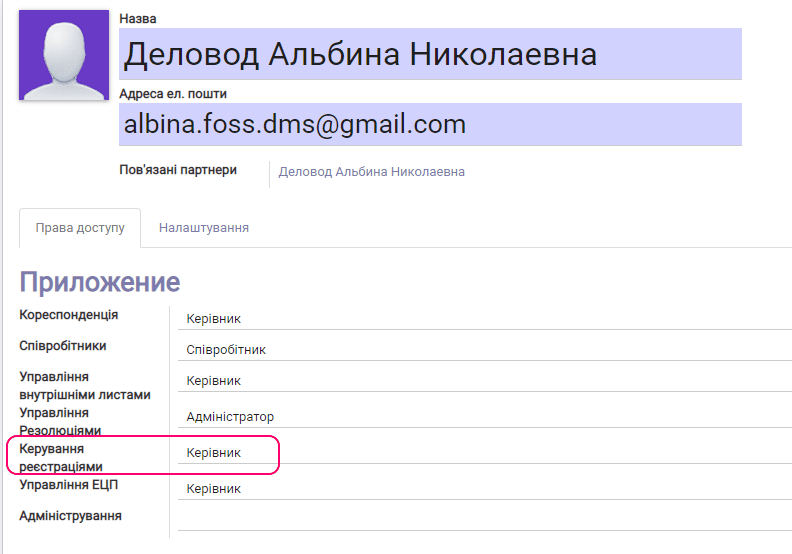
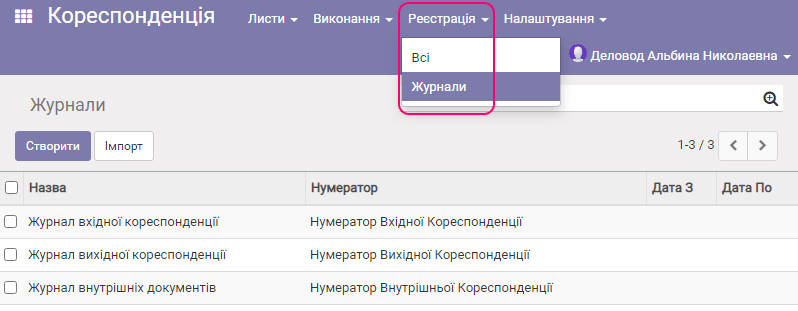
After access to registration journals is granted, the user sees their list in the Journals section.
By default, several main journals are already created in the system:
Let us look at the main journal fields using the Incoming correspondence journal as an example.
Incoming correspondence journal
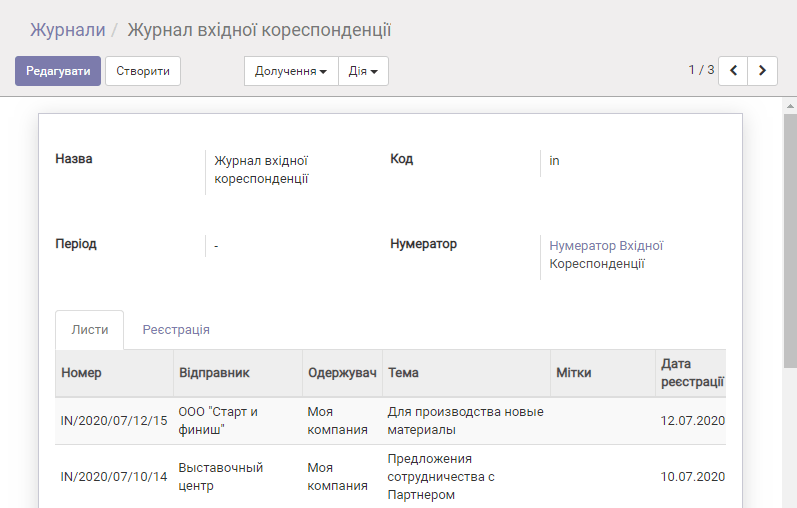
| Field name | Description |
|---|---|
| Name | Journal name |
| Code | The system uses this code to determine which journal to use when creating a document |
| Period | Period for filing a document to a folder ("from — to" a given date) |
| Numerator | Link to the document numerator |
"Letters" tab
This tab shows all documents that were registered using this journal.
"Registration" tab
This tab shows all additional registration records that were created on the "Registration" tab of the document to which this journal is assigned.
Document numerator
The numerator is used to automatically generate the registration number of a document.
To edit a numerator, click the corresponding link in the registration journal.
Let us look at the numerator using the incoming correspondence numerator as an example.
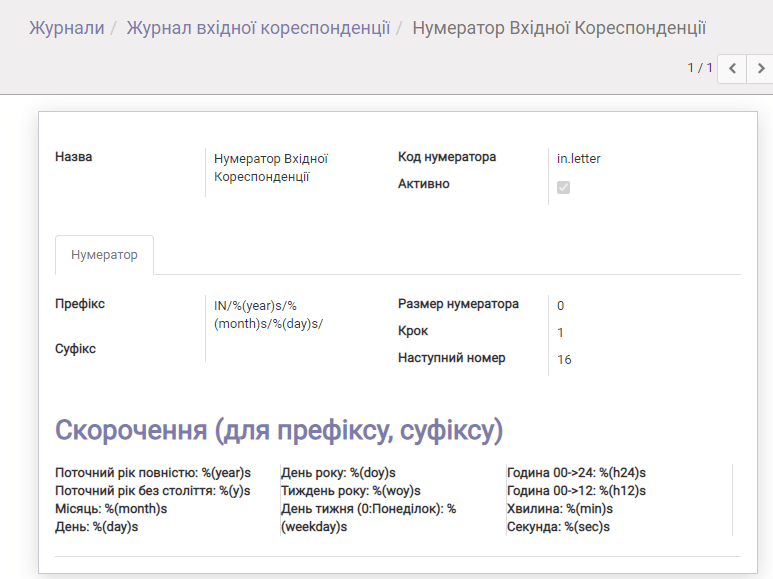
| Field name | Description |
|---|---|
| Prefix | Template for generating the prefix of the document registration number |
| Suffix | Template for generating the suffix of the document registration number |
| Use to form a subsequence... | |
| Sequence size | Number of digits in the number (001) — 3 |
| Step | Interval between issued numbers |
| Next number | The next number that will be issued to a new document when it is created |
The registration number of a document consists of the prefix, the number itself and the suffix.

Suppose we need to generate a number like this:
Incoming letter No.14 from 10.01.2020 14:01:23
To do this, open the Numerator as a user with system administrator rights.
To solve this task, it is enough to enter the text Incoming letter No. in the Prefix field and from %(day)s.%(Month)s.%(Year)s%(h24)s:%(min)s:%(sec)s in the Suffix field.

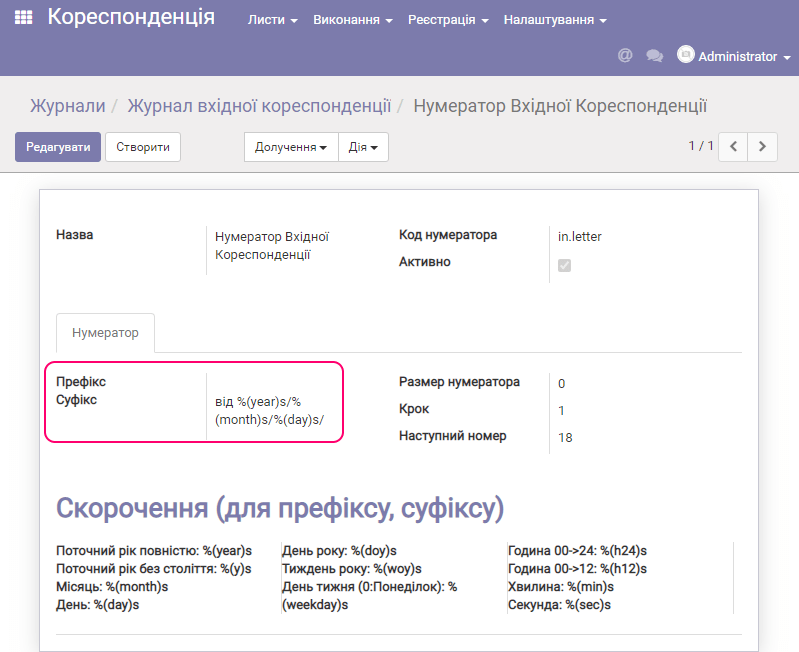
After that, you can create an incoming letter as the assignee user, and it will already be given a number in the format we specified.