Cost of purchased products
When products are purchased, the Purchase order states the price at which the product was bought. In reality there may be several such purchases, from different suppliers and at different prices. If we need to estimate the cost of each purchased product for each batch, we can use the capabilities of ERP FOSS. To get them, you first need to allow keeping Continuous inventory valuation (warehouse movements create accounting entries) in the module Warehouse/Settings/Warehouse accounting, and also use the corresponding settings of the product category. Let us look at this in more detail.
Periodic (manual) inventory valuation
By default, when a new category is created, the inventory valuation values are Costing method - Standard price and Inventory valuation - Periodic (manual).
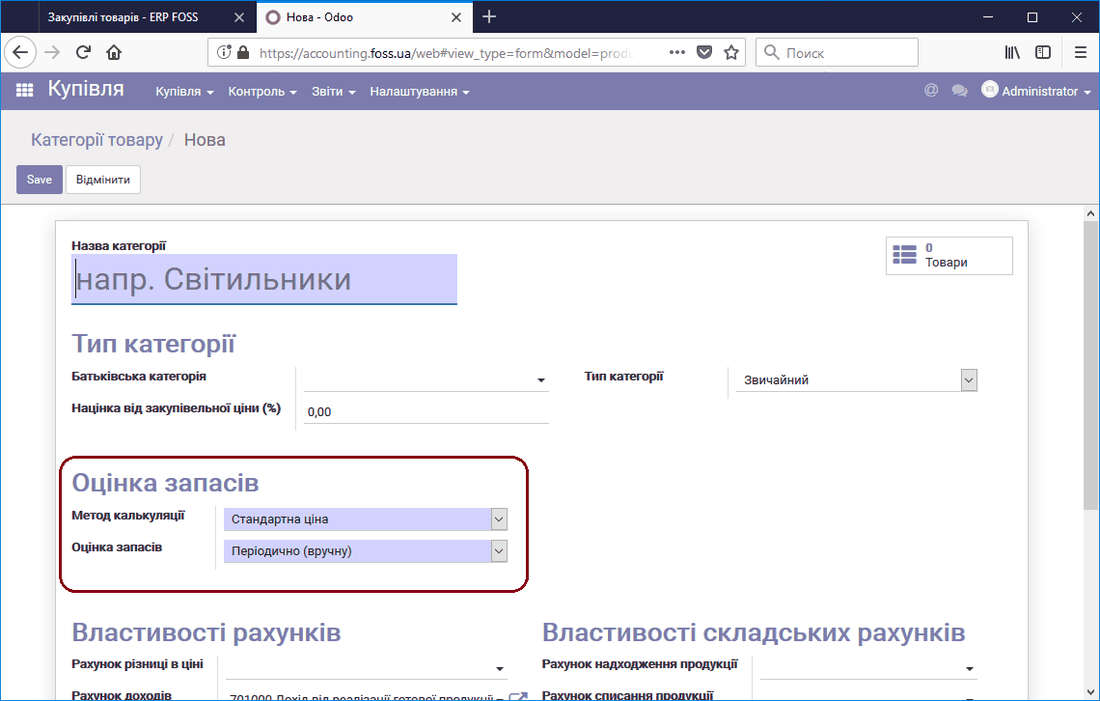 Creating a default category
This means that the cost of products included in such a category can be edited.
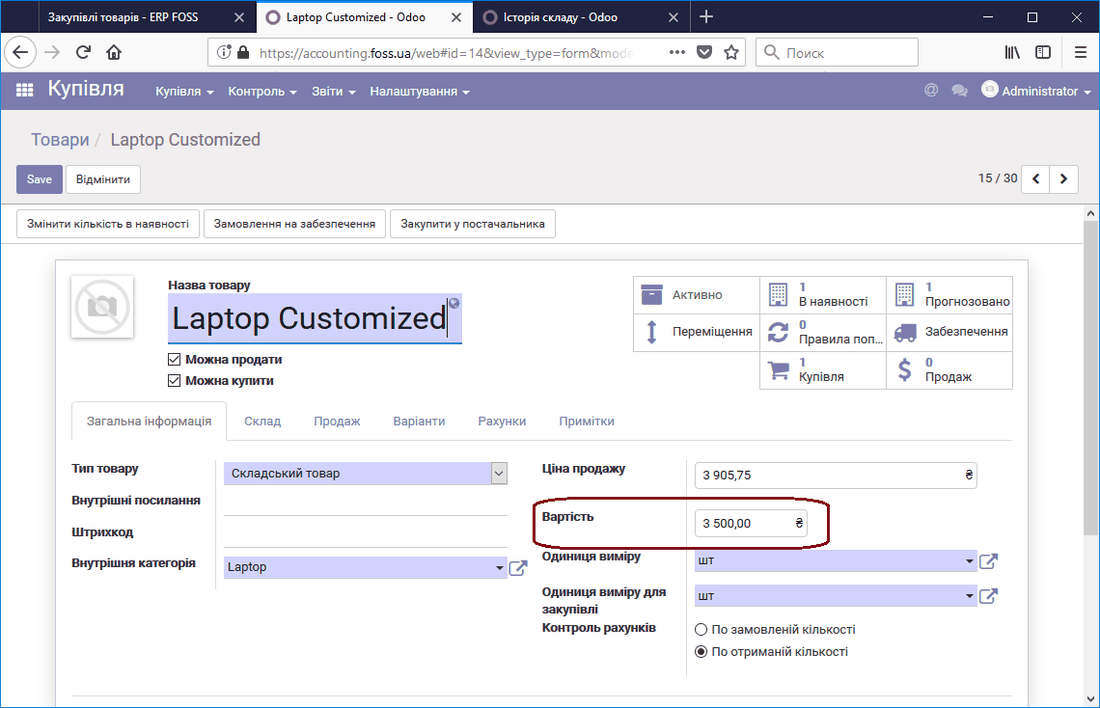 Editing the product cost
The cost value is shown in monetary terms in the warehouse reports. If we change the product cost in the product card, the new value is set for the warehouse stock. This approach to inventory valuation is acceptable for a small product range and fairly infrequent purchases.
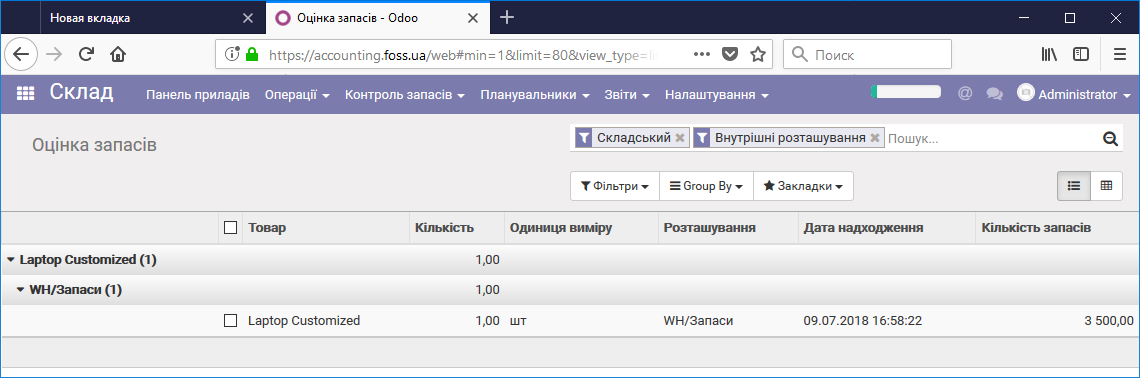 Inventory valuation in monetary terms
Continuous (automatic) inventory valuation
If we need to know the exact valuation of the purchased stock in monetary terms, we should use automatic inventory valuation. To do this, in the purchase settings, in the Cost calculation methods field, select the option Use the "Fixed", "Average" or "Real price" method.
Average price
After setting Costing method - Average price for this product category, you need to set the accounting accounts (Warehouse account properties) as shown in the picture below.
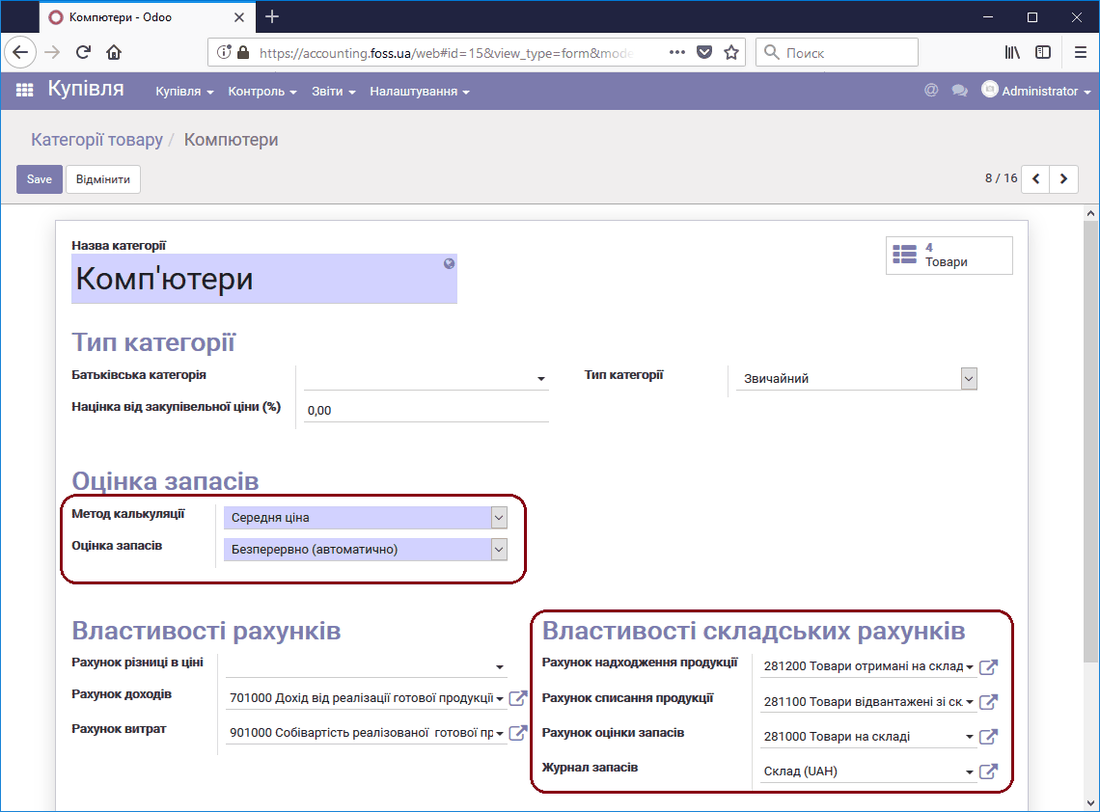 Inventory valuation in automatic mode
Now, if we purchase several batches of a product from this category, the program automatically calculates the cost of the product as the average purchase price. For example, there were three purchases at different prices and with different quantities of the product, and the program set the average cost of the product on its own.
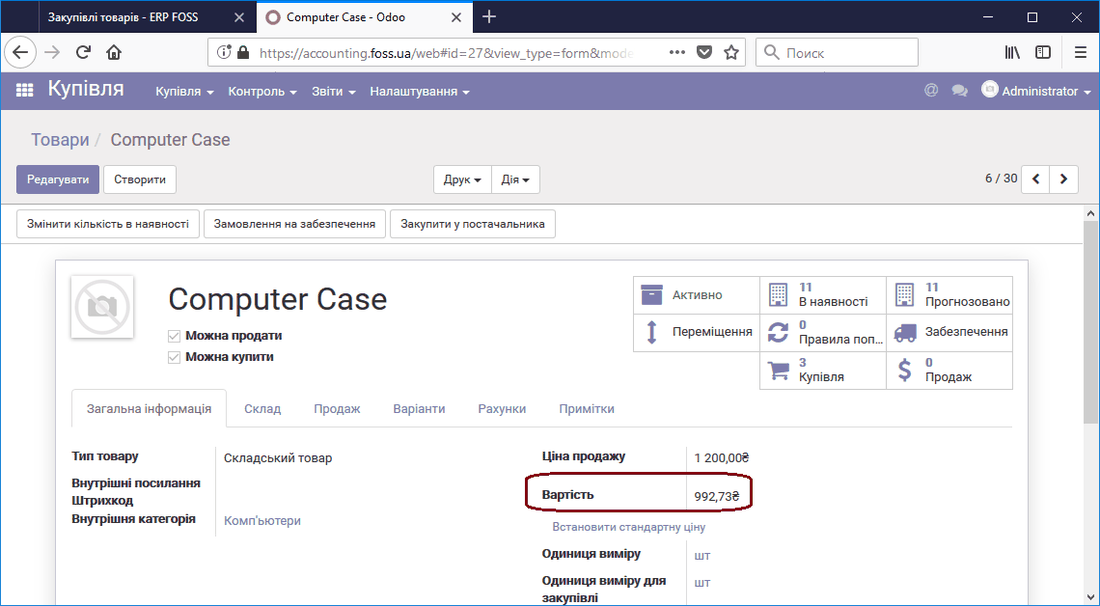 Average product cost
The inventory valuation report shows the stock quantity in monetary terms according to the average product cost.
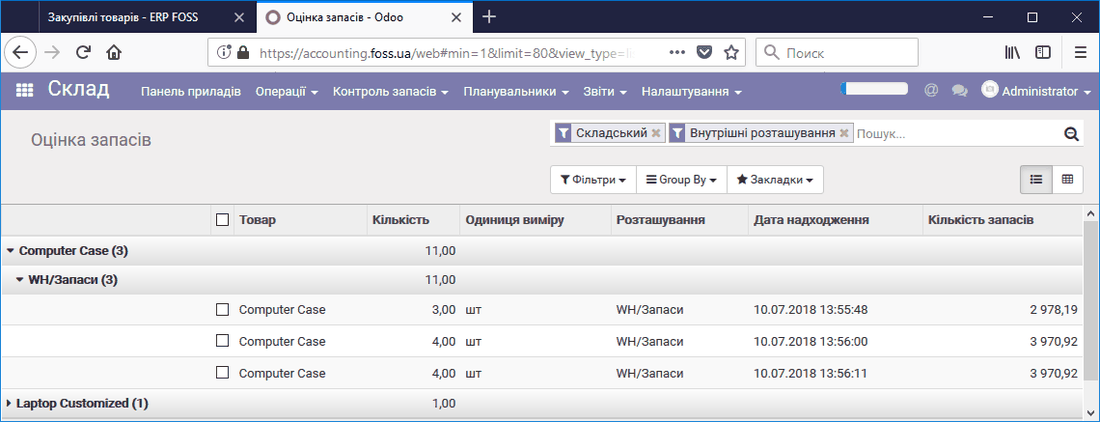 Stock value at the average price
In addition, in the accounting report Trial balance we see the total cost of the products in our warehouse.
Note: When products are sold, their write-off from the warehouse is accounted for at the average price.
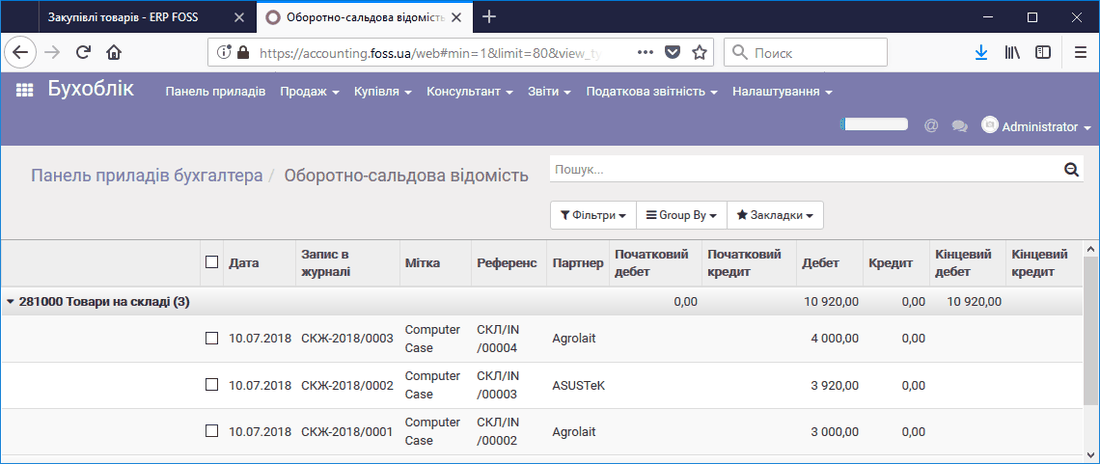 Cost of products in the warehouse
Real price
When the Real price option is set for the selected category, you must also set the product removal strategy. This strategy is used for subsequent sales of the product. It can be FIFO or LIFO.
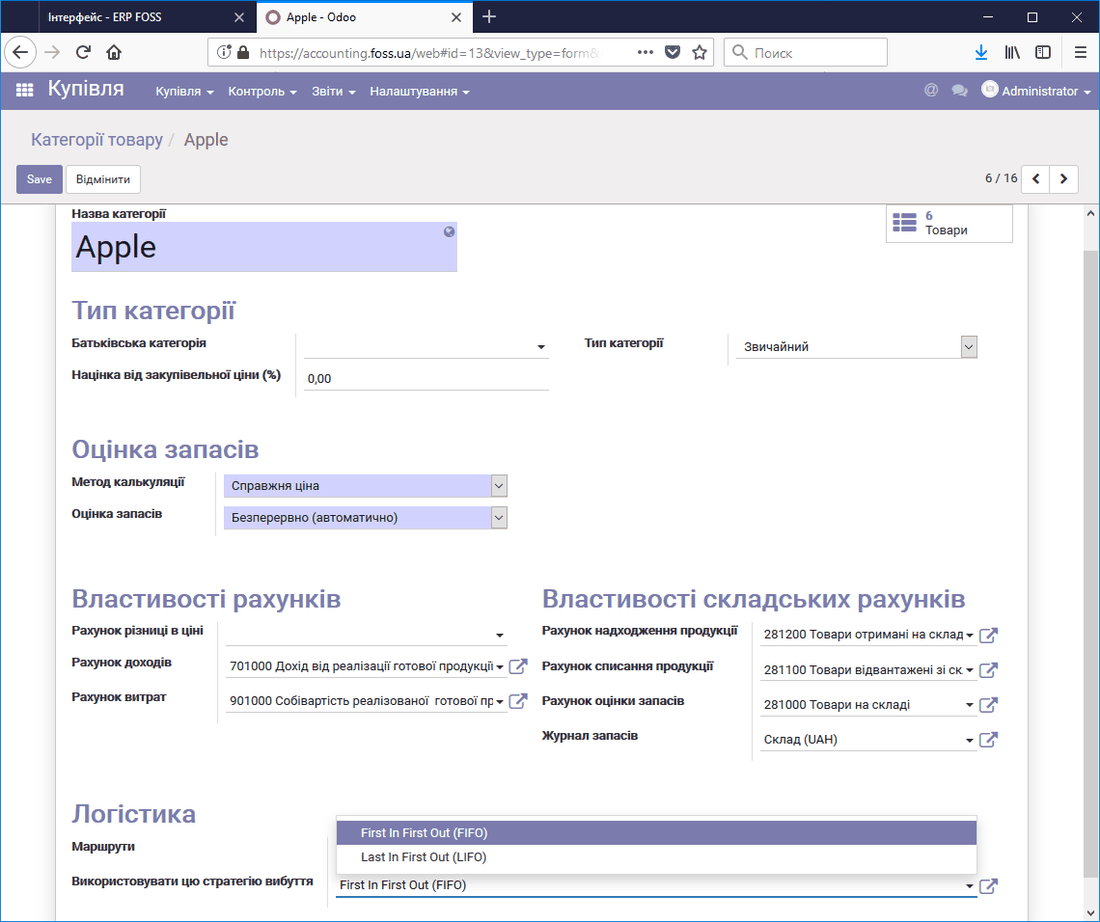 Real product cost
Now, for example, if we make two purchases of a product at different prices, then in the inventory valuation we see that the program takes into account the cost of the purchased products for each purchase separately and at different prices.
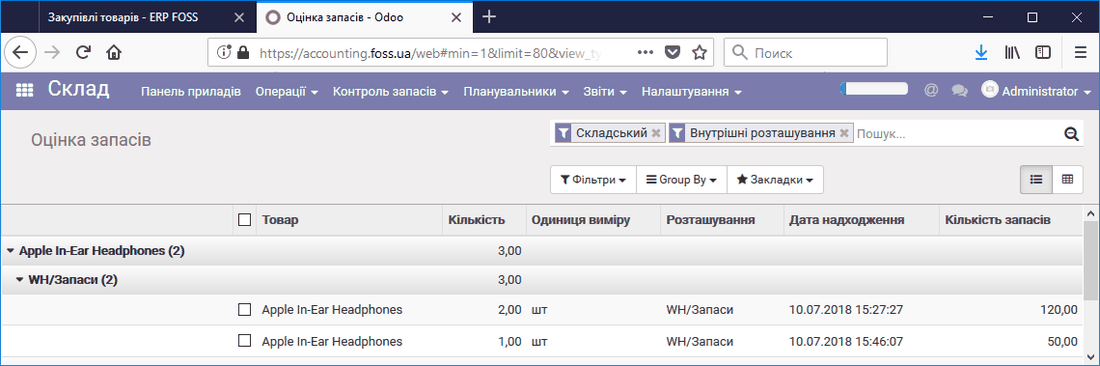 Accounting for the real cost of products
For products in such a category the cost is not shown, because there are several such costs.
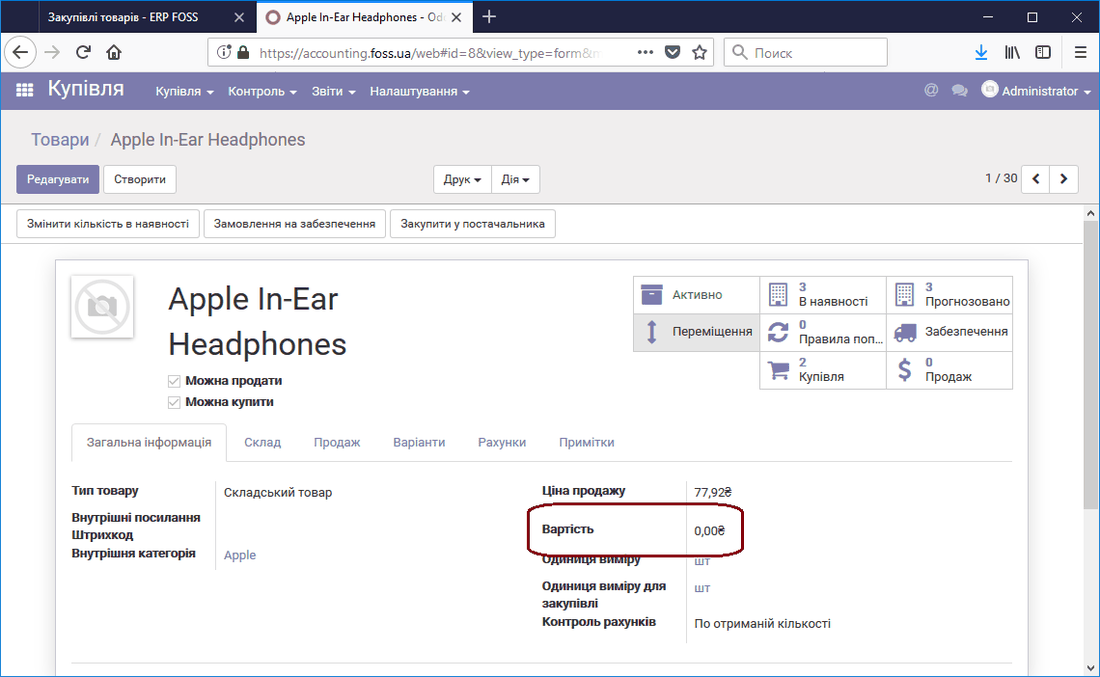 Product in a category with the real price
If we sell such a product, the program selects the product according to the removal strategy assigned to this category. As the picture below shows, one unit of the product was sold for 60 UAH (there were two, one is left), because this product was purchased earlier and the removal strategy selected is FIFO.
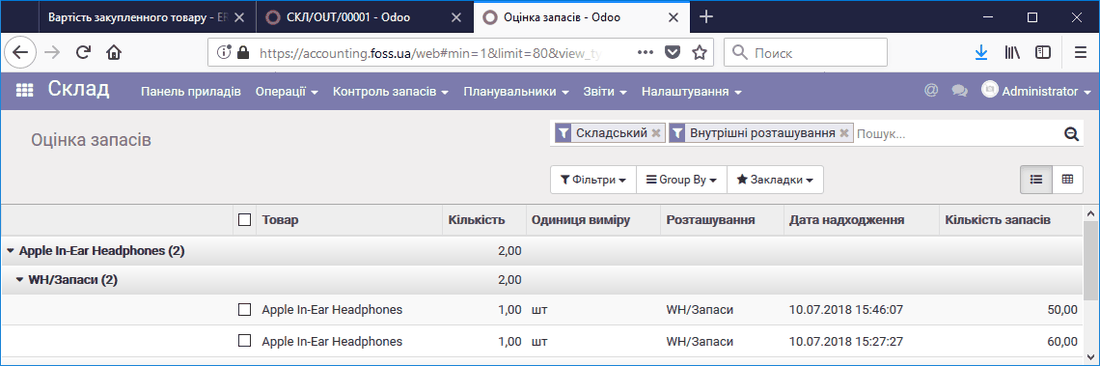 Selling a product with the real price
When products are purchased and sold, the program keeps their records, and you can get information about the cost of the products stored in your warehouse. Debit is the amount (cost price) for which products were purchased during the report period, Credit is the amount (cost price) for which products were sold, Closing debit is the cost price of the products in the warehouse.
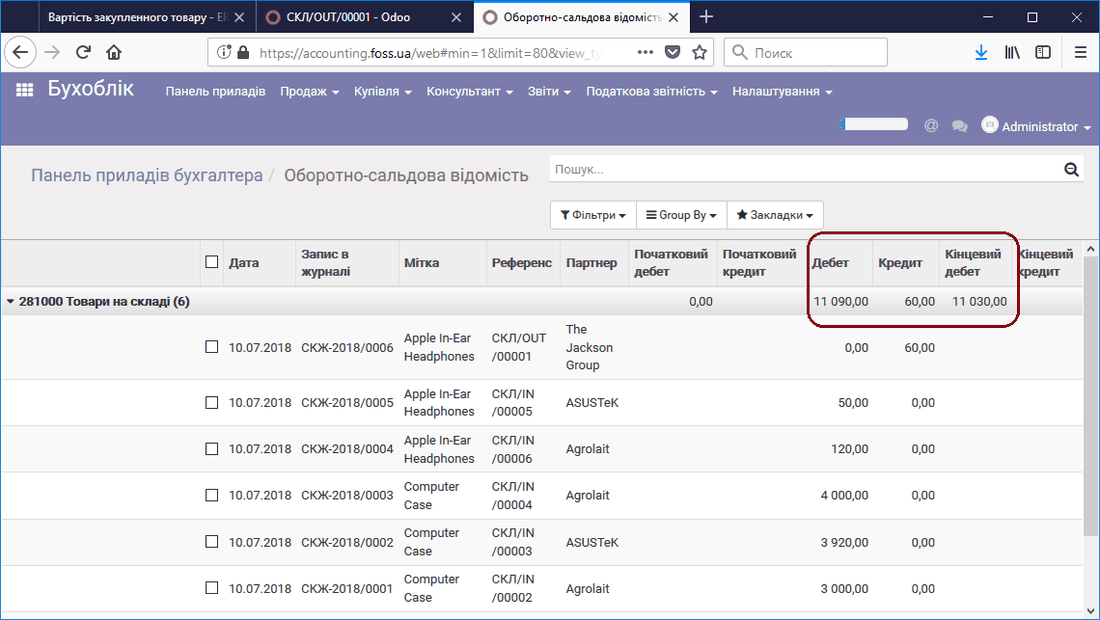 Cost of products in the warehouse