Setting up the "Nova Poshta Integration" module
Introduction
The module automates and speeds up shipment processing and minimizes the influence of the human factor. You will be able to create express waybills, choose the payment method, control the shipping cost, view shipment statuses, find an express waybill by number and track cash on delivery. Only a few steps are needed to set up the module.
Getting the API key
To get an API key, go to the Nova Poshta website and sign in to your account.
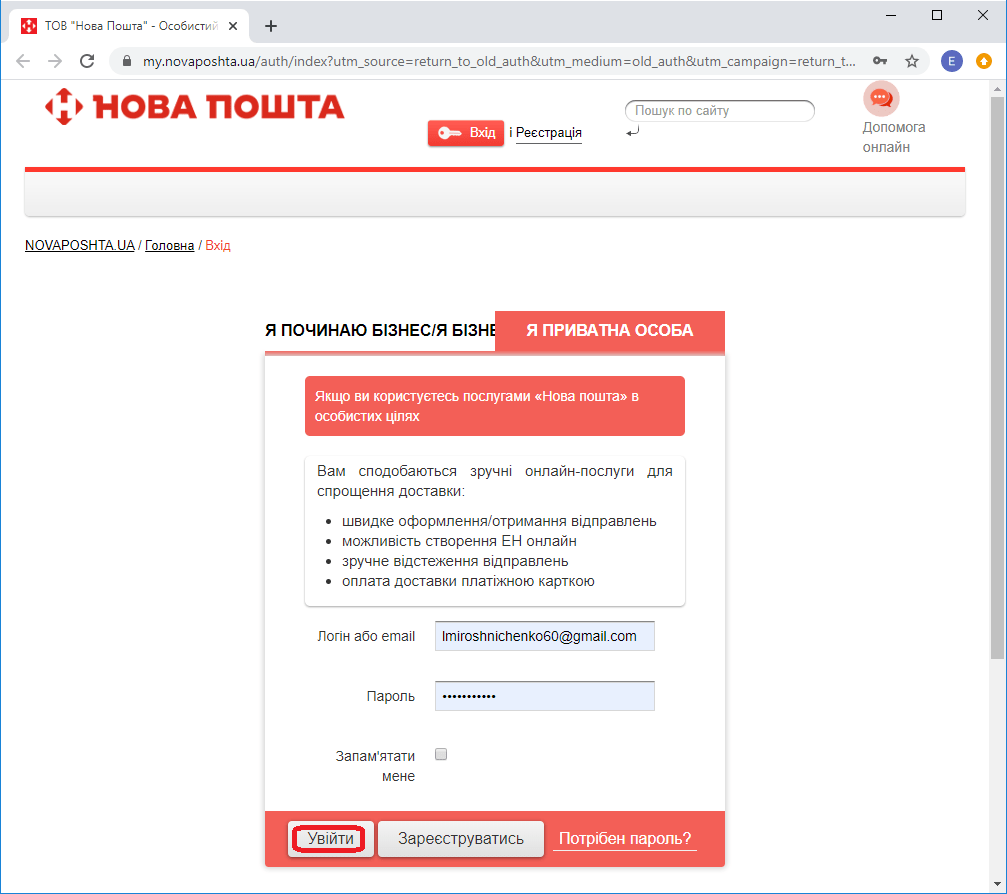 Signing in to the Nova Poshta account
Then select "Settings" → API 2.0 and click the "Create new key" button to create a key. After that, copy the value from the "Key" column to the clipboard.
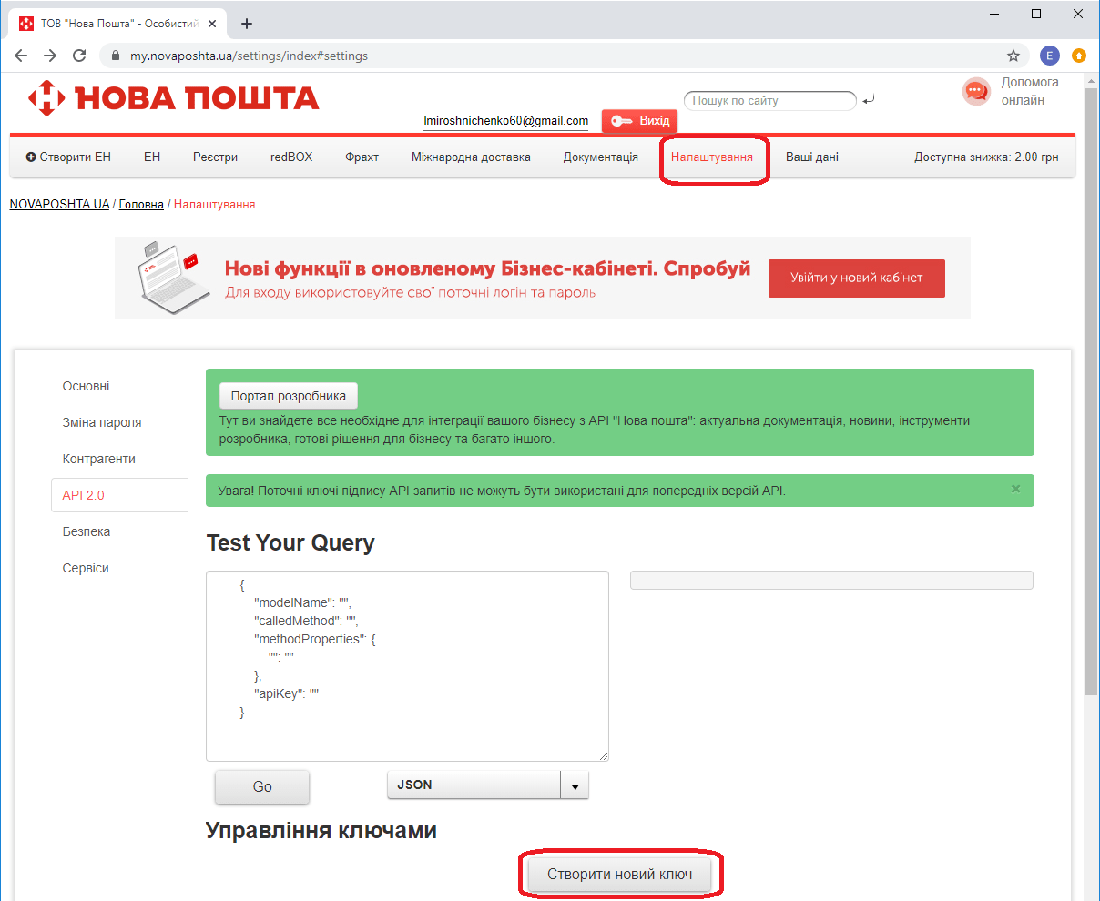 Creating a key
Module setup
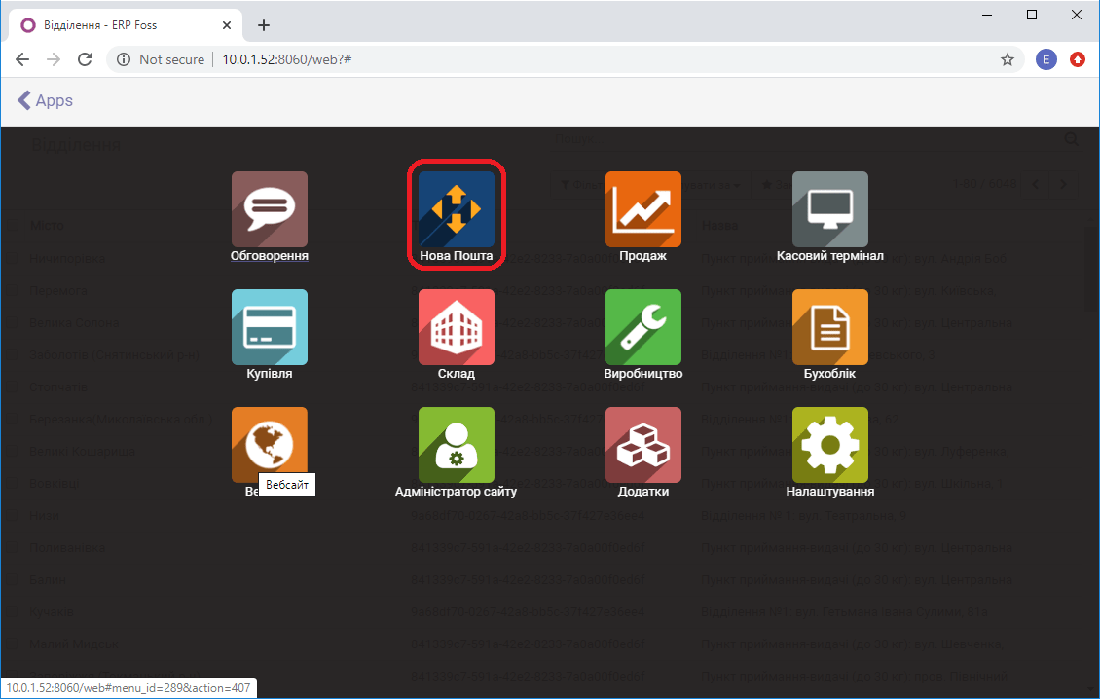
To set up the integration, go to the module of the same name, Nova Poshta
Then go to the "Settings/Accounts" menu item and click Create.
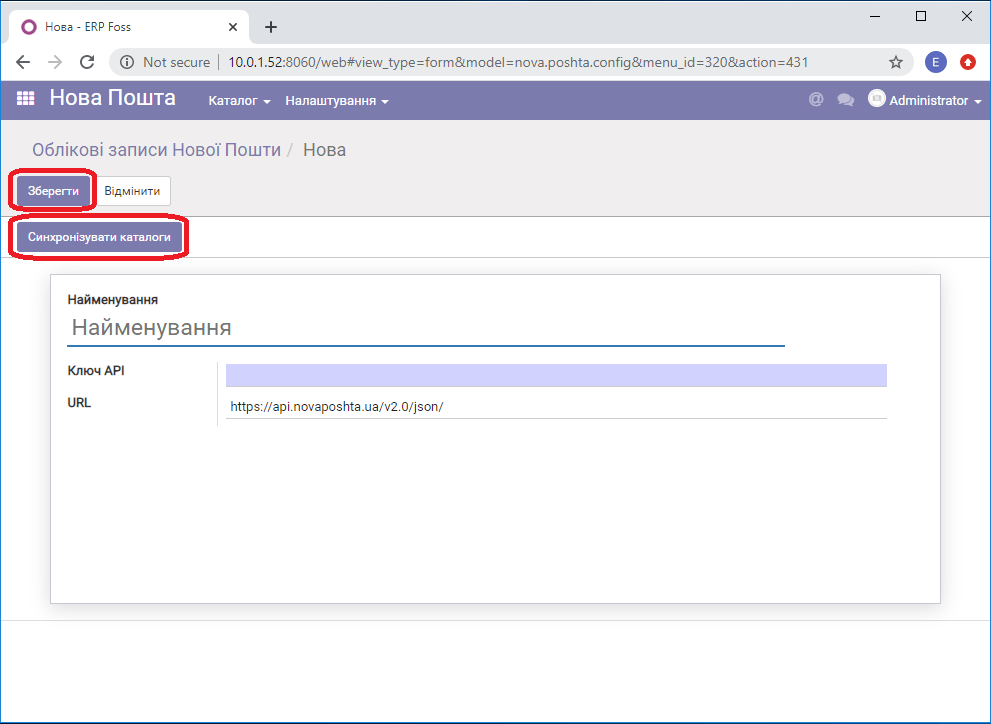 Creating a Nova Poshta account
Enter the name "Nova Poshta" and paste the key that you created and saved earlier on the Nova Poshta website. Click "Save" and synchronize the reference data.
This synchronizes the branches of all cities where Nova Poshta operates.
Next, set up the warehouse from which products will be shipped.
To do this, go to the Warehouse module, menu item "Settings/Warehouses". Select the warehouse from which products will be shipped, click "Edit" and go to the "Nova Poshta" tab. Then select the city, the branch and the cargo type: Parcel (if your product weighs more or less than 1 kg, you can edit the data) and click Save, as shown in the figure below.
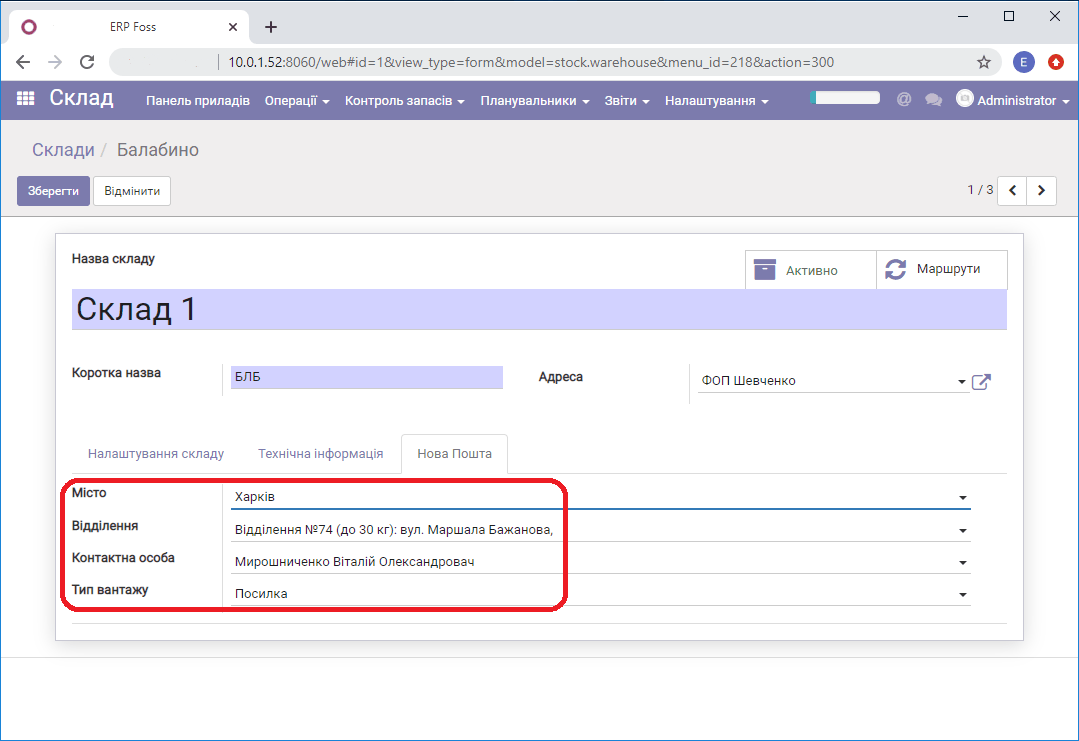 Warehouse setup
After you have made and saved all the settings, go to the Sales module and create a Purchase order. For more details on how to create a Purchase order with the Nova Poshta delivery method, see this link.