Managing access rights
Role-based access model
The system has several user roles (Employee, Manager, Administrator, and so on) that define the user's access rights to particular functions of the system.
Managing access rights
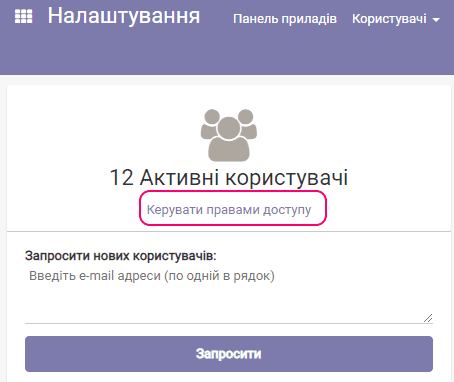
To manage access rights, select the Settings app.

Then follow the link Manage access rights:
The list of users appears.
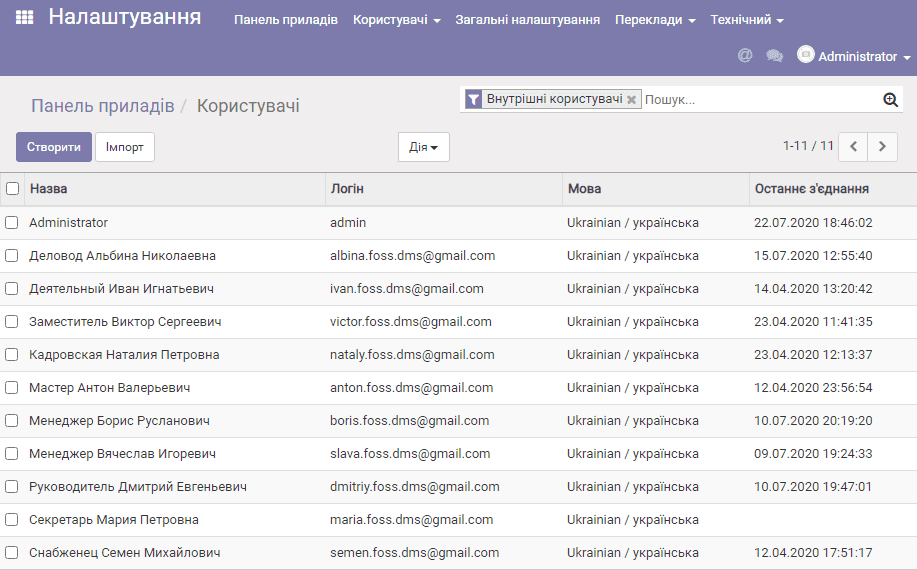
Select a user:
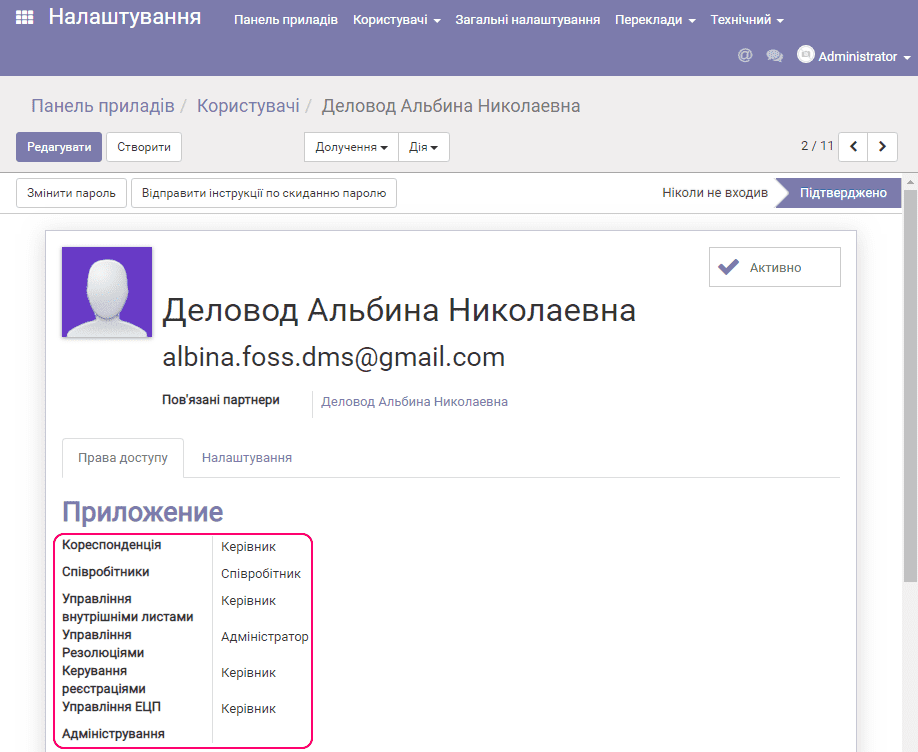
Next, you can specify which functions of the system, and with which role, will be available to this user:
| Function name | Description | Available roles |
|---|---|---|
| Correspondence | Working with documents in the Incoming and Outgoing folders | no role, Employee, Manager |
| Employees | Working with the Employees directory | no role, Employee, Manager |
| Internal document management | Working with documents in the Internal documents folder | no role, Employee, Manager |
| Resolution management | Working with resolutions (viewing, editing, deleting) | no role, Employee, Manager, Administrator |
| Registration management | Working with document registration journals | no role, Employee, Manager |
| EDS management | Working with the electronic digital signature (EDS) (viewing, validating, applying an EDS) | no role, Employee, Manager |
| Administration | System administration | no role, Access rights, Settings |
Description of the roles.
No role (an empty selection) — means that the user will not see anything related to this function at all, for example, the folder with documents, the button for applying a resolution, and so on.
Employee — as a rule, this is the minimum set of rights, for example, viewing without the ability to edit (depends on the function). For example, for the Resolution management function, the Employee role means being able to act as a simple executor of resolutions without creating them.
Manager — the ability to perform any actions with the selected function on one's own behalf.
Administrator — full access rights to any function, for example, in the context of resolution management, the ability to edit/delete the resolutions of other users.
Access rights — delegation of the administrator's functions only for assigning access rights. It is recommended to give this role to employees who perform personnel management functions in your organization, or to administrator assistants.
Settings — full system administration rights. It is recommended to assign this role to experienced technical specialists who administer the solution.