Additional costs and warehouse inventory valuation
Additional costs
The products you purchase have the price at which they were bought, but the cost price of products may also include, for example, delivery costs, advertising costs or other expenses. The application lets you include such costs in the cost price of products.
Let us see how this works. For example, we made several purchases of different products and received them. All the products were delivered in one truck trip, for which we paid UAH 1000. We need to distribute these UAH 1000 across all purchased products. This feature works only with certain application settings.
Preliminary settings
In the menu Warehouse/Settings/Settings, set the options as shown in the figure below.
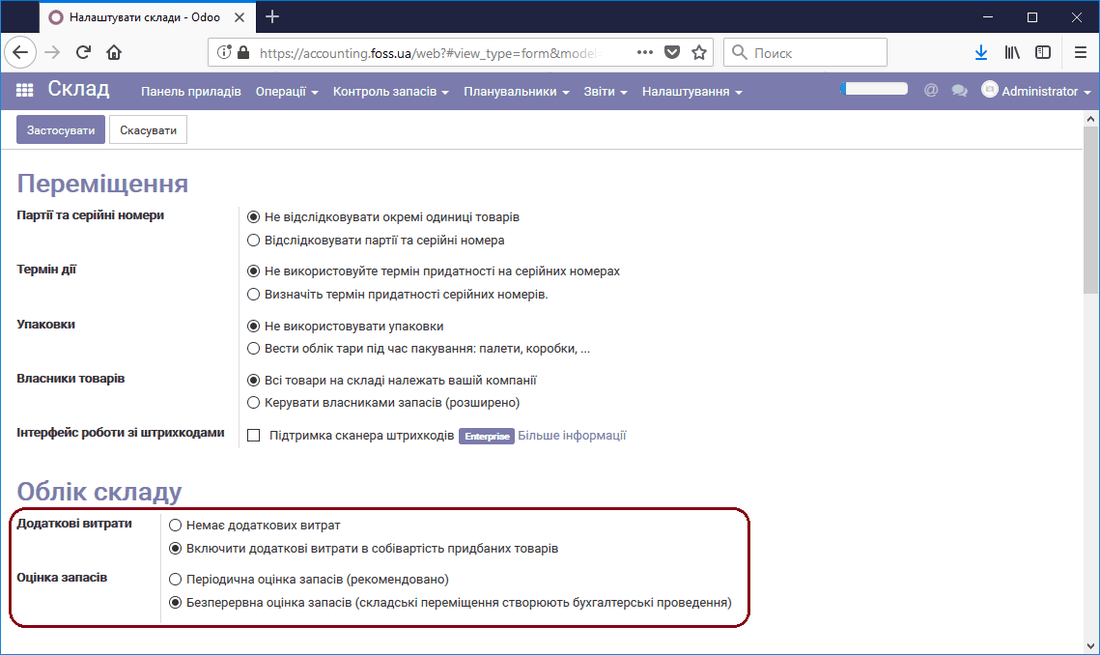 Taking additional product costs into account
Then, in the module Purchasing/Settings/Settings, set the option as shown in the figure below.
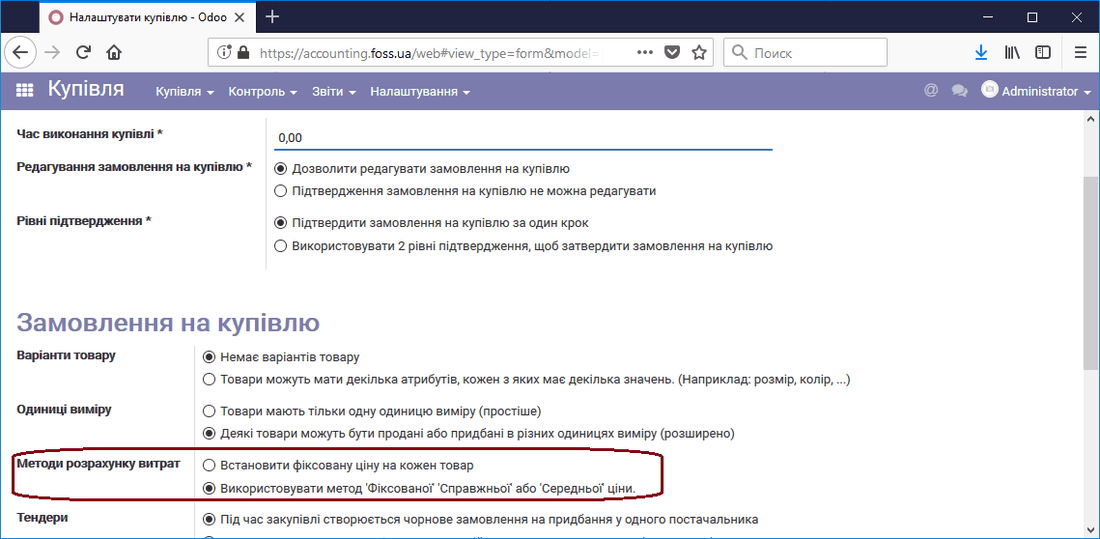 Using the actual price when purchasing products
Additional costs can be included only in the cost price of products that belong to a category where the settings Inventory valuation - Continuous (automatic) and Costing method - Actual price or Average price are set, and where the Warehouse account properties are configured.
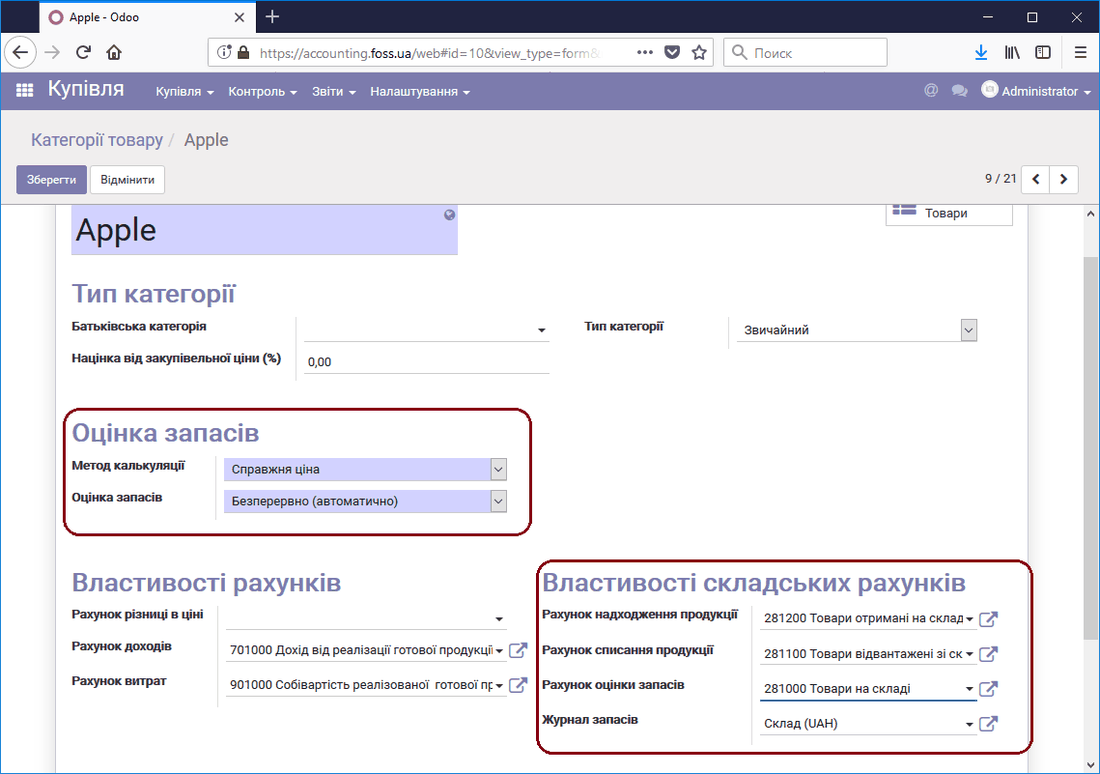 Product category settings
Purchasing products and valuing the cost price
Let us make two purchases of products from the Apple category and deliver these products to the warehouse. As the figure below shows (the Inventory valuation report), we have four products in the warehouse with their cost price valuation shown in the Stock quantity column.
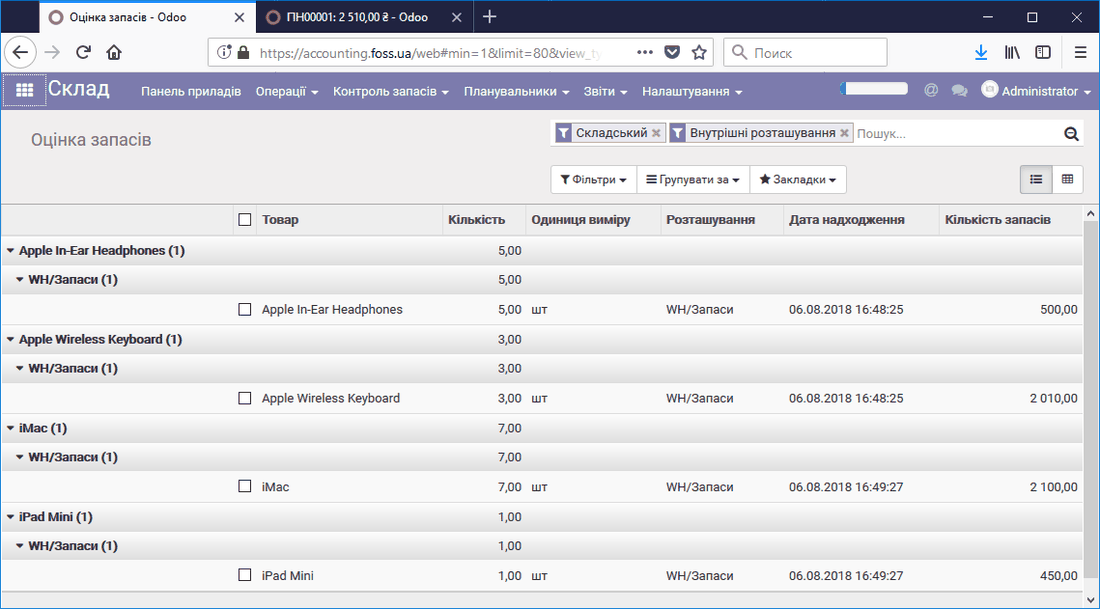 Stock value
Now let us add the delivery cost to the cost price of the products under the conditions described above. To do this, go to the menu Warehouse/Inventory control/Additional costs and click Create.
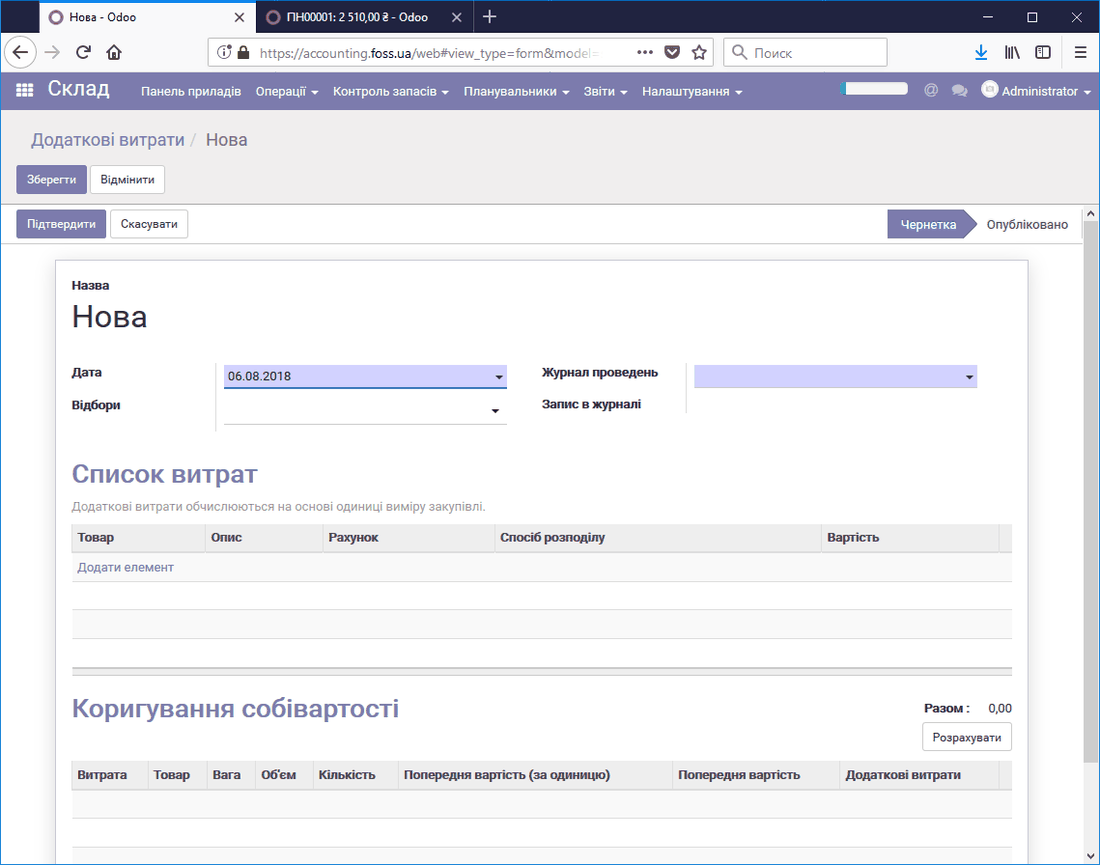 Creating additional costs
Then add an additional cost item to the Cost list and fill in all the fields as you need.
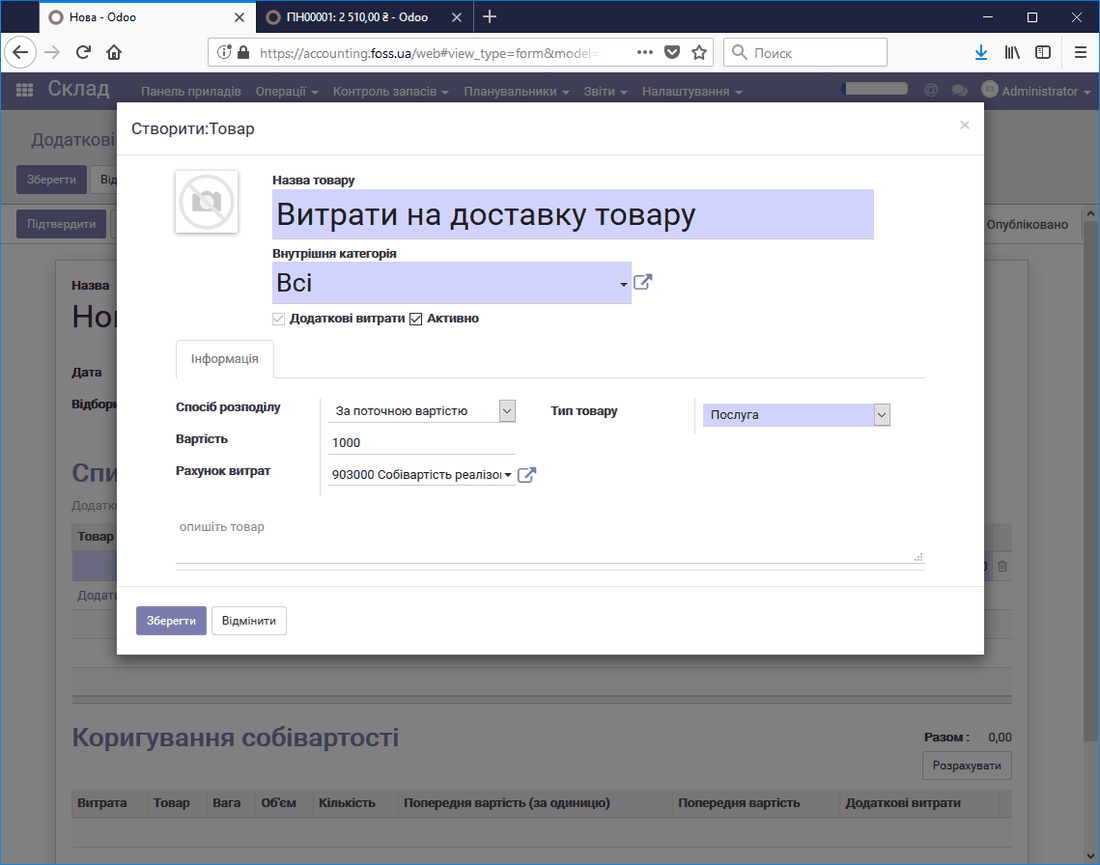 Product delivery cost
Then select Filters (the Product deliveries to which the costs will be applied) and the Posting journal in which the corresponding entries will be created, and click Calculate.
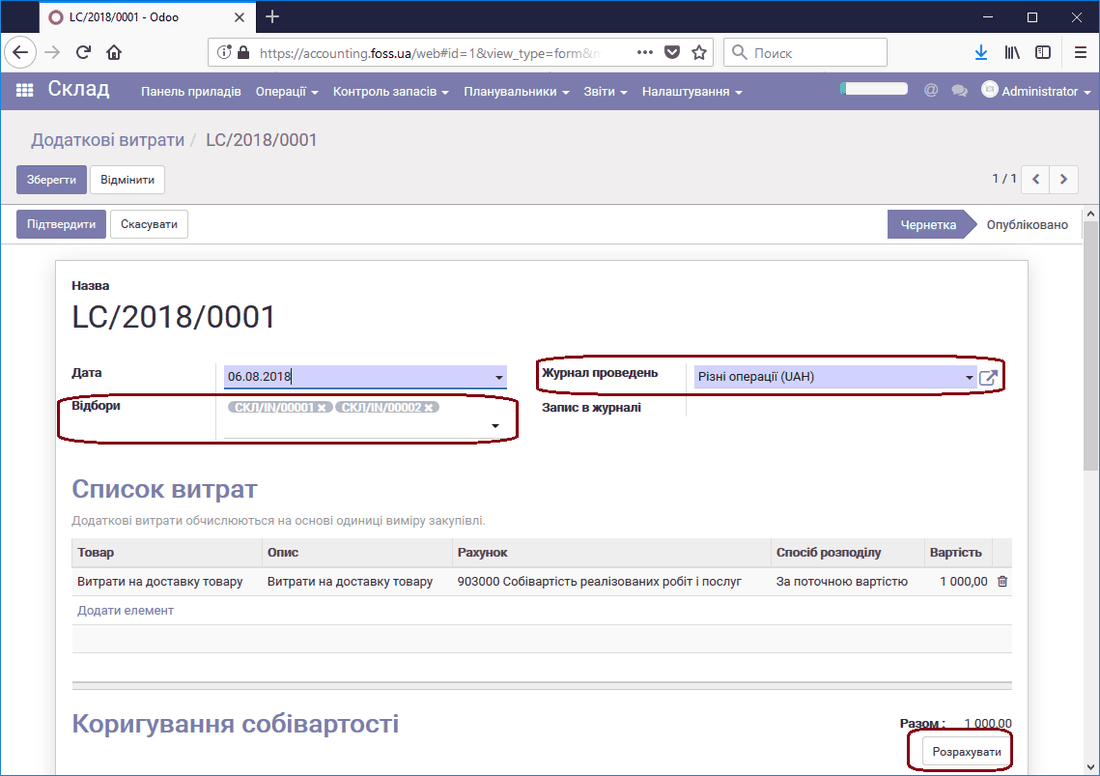 Product deliveries that include the costs
As a result, the delivery cost is added to the cost price of each product in proportion to its current value, as shown in the figure below.
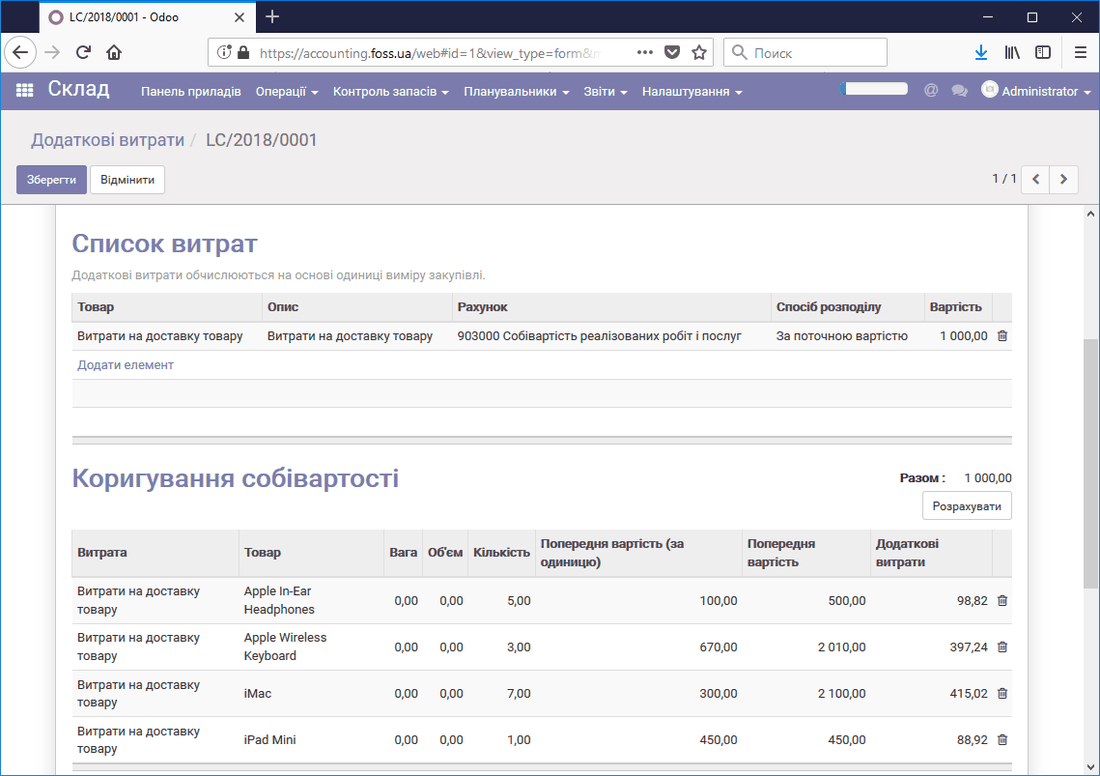 Additional costs in the cost price
Now, if we check the cost price of one of the products, we see that the delivery cost has been added to its purchase cost.
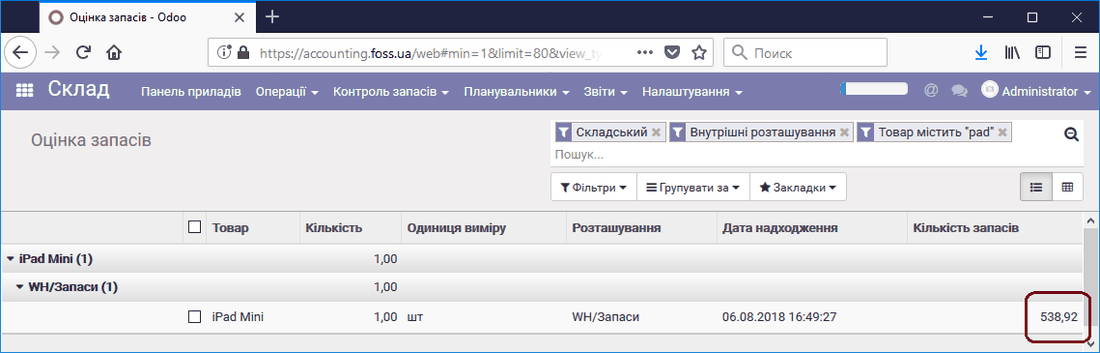 Warehouse stock including delivery cost
In addition, the application correctly generates all accounting entries.
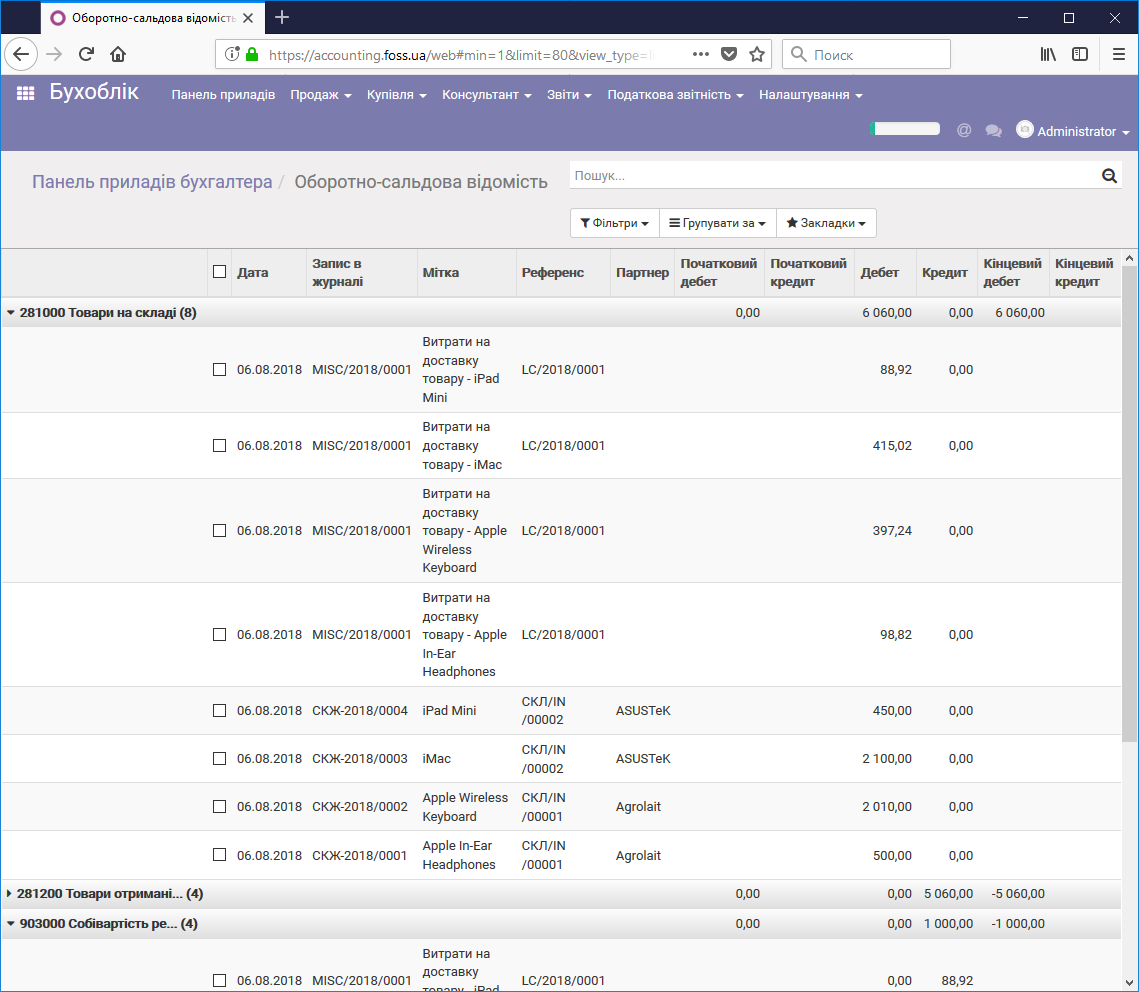 Accounting entries including product delivery cost
Inventory valuation
If you need information on the cost price of each purchased product, you can use continuous inventory valuation. It lets you determine precisely the cost price of the products kept in your warehouse. To do this, configure the application as described above. Using these features is described in detail in the article "Cost of purchased products".