Different units of measure
Introduction
Every line of business has its own specifics, including trade. Some buy goods in batches and sell them at retail, some buy by the box and sell by the piece, and some trade in bulk products, buying them by the bag and selling them by weighing them on scales. How can this be implemented in the application? Let us discuss the scheme using the example of selling pet feed: the feed is purchased in bags and sold by weight.
Unit of measure: bag
By default, the application has the Weight unit of measure category. As the figure below shows, we already have several units of measure in this category. The base unit of measure for it is set to kg (kilogram).
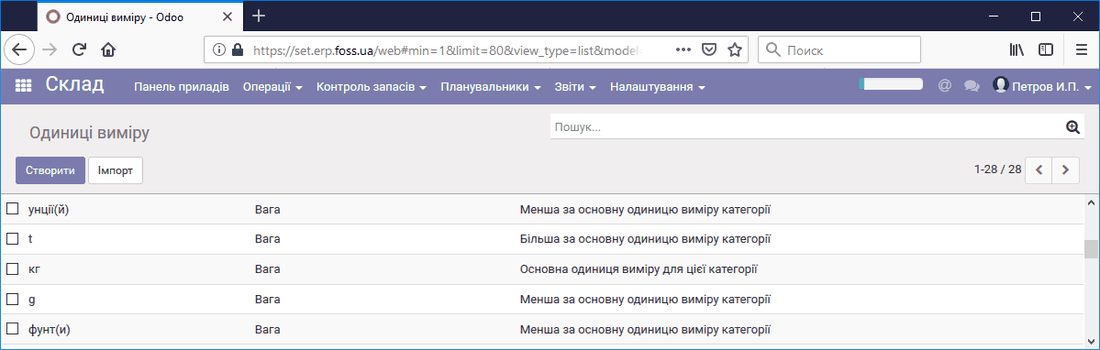 Units of measure in the weight category
In this category, we create a new unit of measure, Bag of feed. We select the Bigger than the reference unit of measure of the category type. We assume that a bag contains 10 kilograms of feed (the Bigger ratio field).
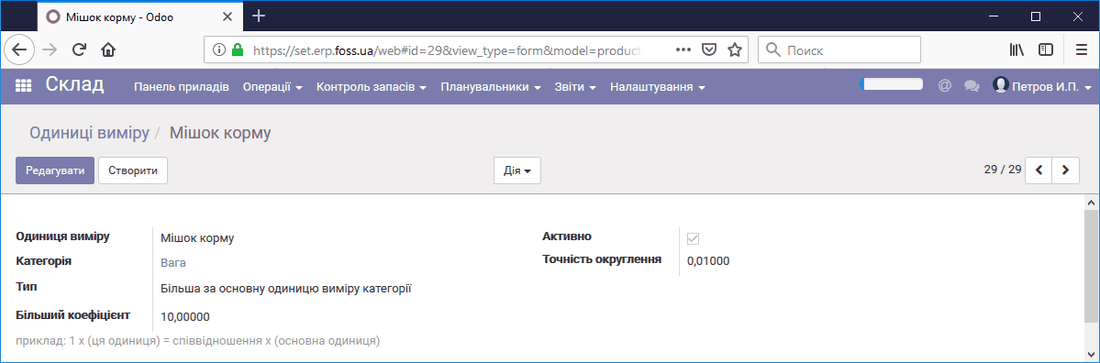 New unit of measure
After saving, we see the new unit of measure in the list.
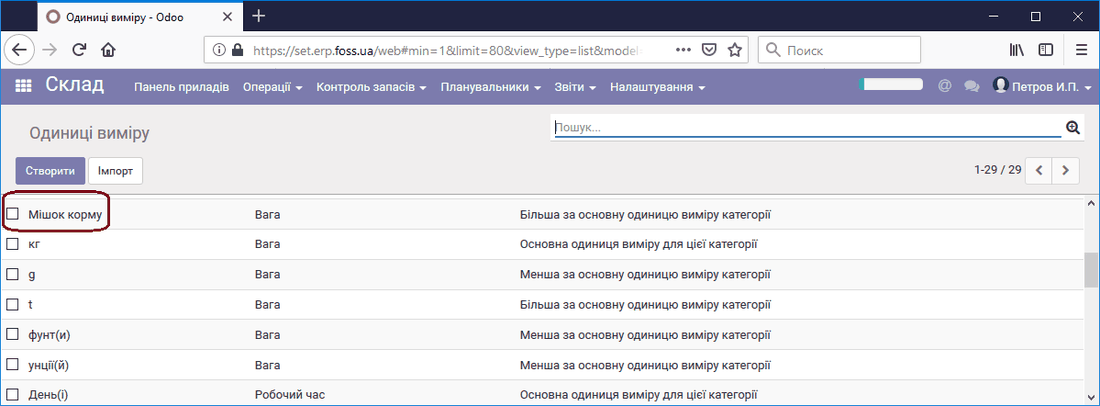 List of units of measure
Purchase and sale
First, we create a Product. Pay attention to the choice of units of measure for this product.
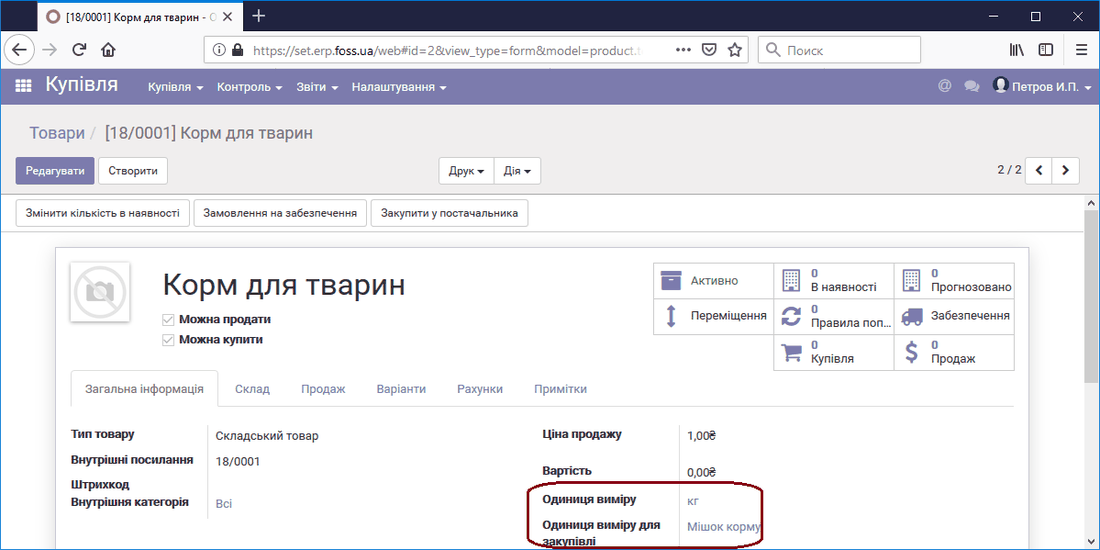 Product card
Let us purchase the newly created product. To do this, go to the Purchases menu and create a Purchase order. In the Purchase order card, in the Product unit of measure field, the application automatically specified the Bag of feed unit of measure.
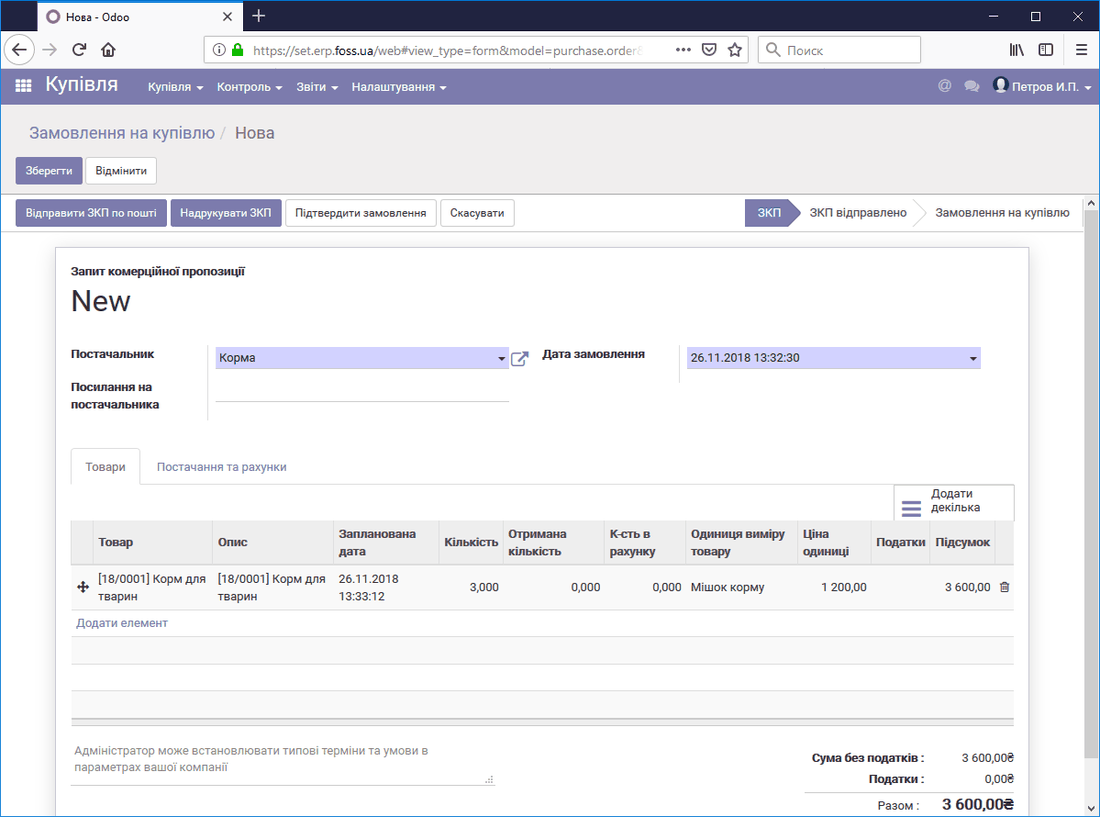 Purchase order
After the product delivery is processed, we see 30 kilograms of pet feed in the warehouse.
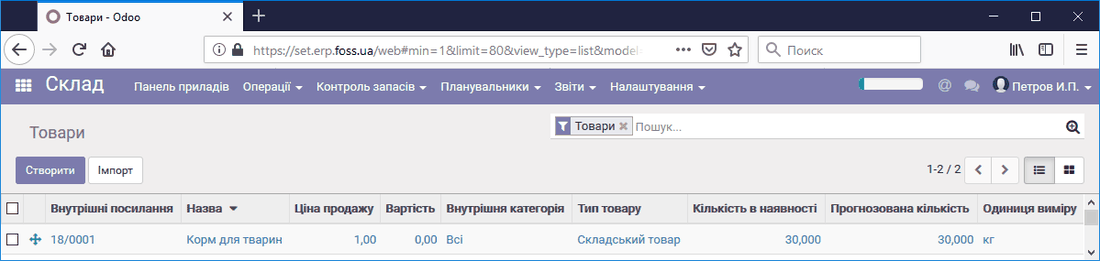 Purchased product
Let us sell part of this product. To do this, go to the Sales menu and create a Sales order. In the Sales order card, we select the product, specify its quantity, and select kg as the unit of measure.
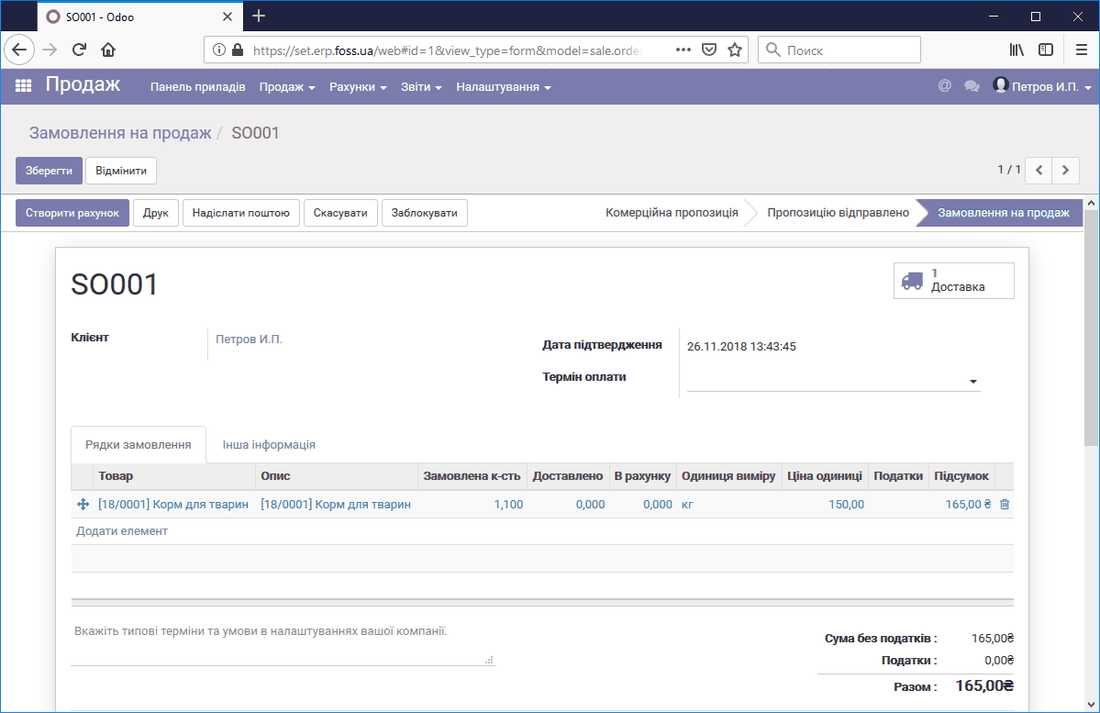 Sales order card
Now that the Sales order has been created, we ship the product. Then we go to the warehouse and look at the stock balances of the product. We see that 28.9 kg of the product remains in the warehouse.
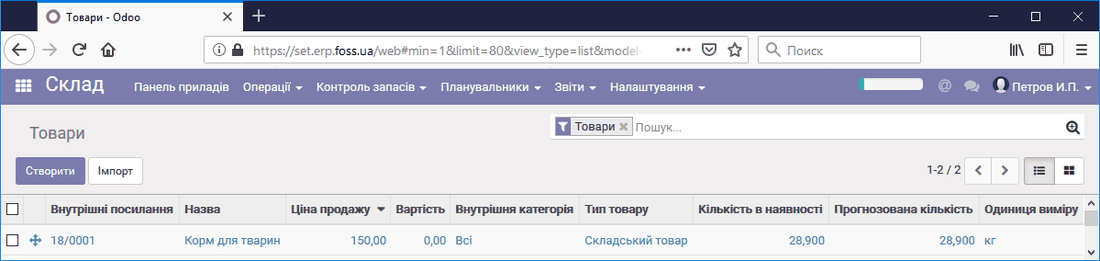 Product stock balances
You can also sell the product in other units of measure, for example, in grams. The application automatically recalculates the price and the stock balances of the product.
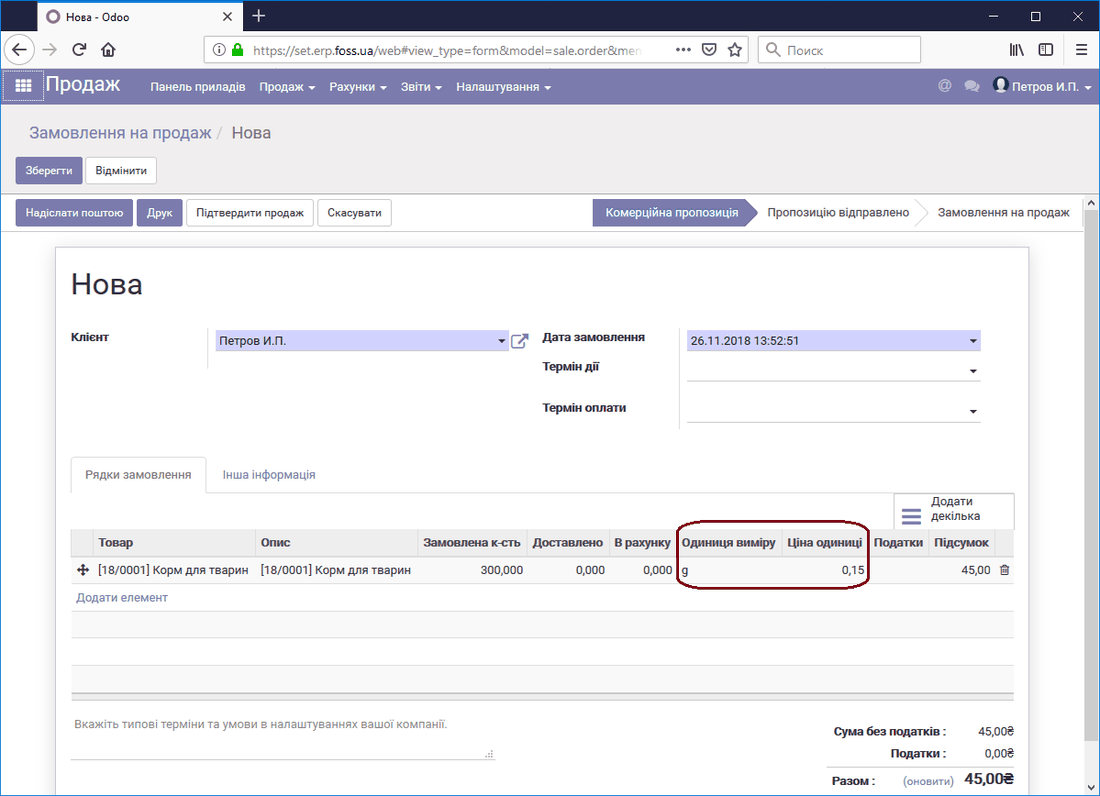 Sale in other units of measure
With this example, we wanted to show you one of the ways our application works, and its capabilities. In this way, you can buy a product by the bag and sell it by weight, or buy it by the barrel and sell it on tap.