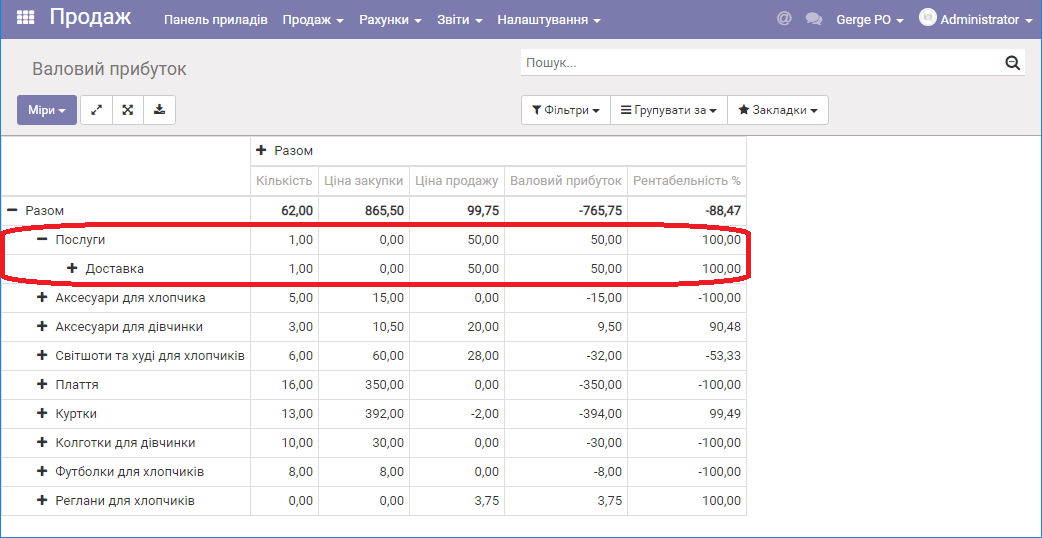
Gross profit report
Introduction
The "Gross profit" report provides information on the purchase and retail cost of products sold during a period, and also shows sales profit, sales efficiency and profitability. The Sales module is used to generate the gross profit report.
The "Gross profit" report is generated in the currency selected as the management accounting currency in ERP FOSS. The report figures are affected by shipment and return documents - that is, only those documents that ship and return products/services to customers.
Generating the "Gross profit" report
Only users who have been granted the appropriate permissions have access to the sales module.
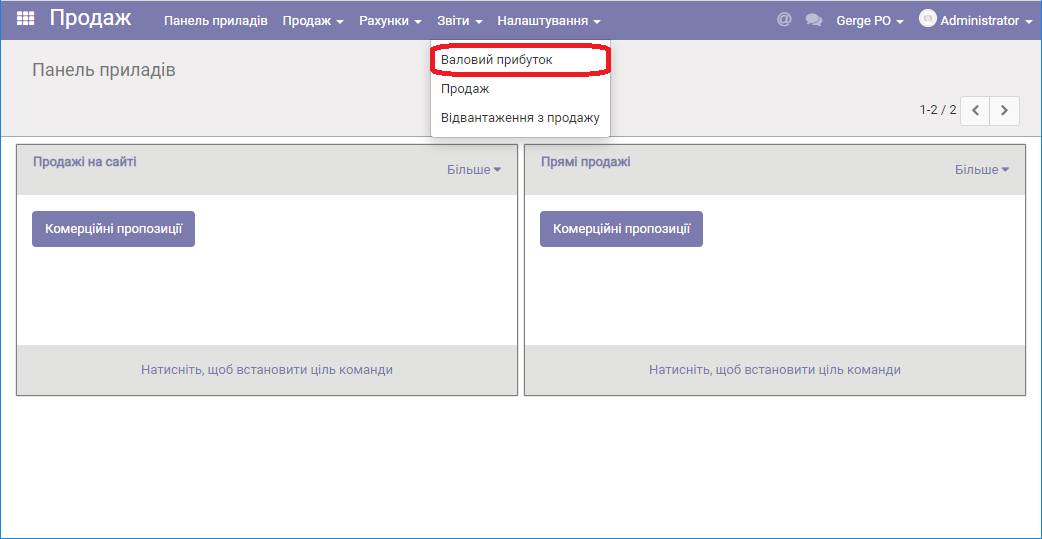
To create the report, go to the menu item Reports/Gross profit:
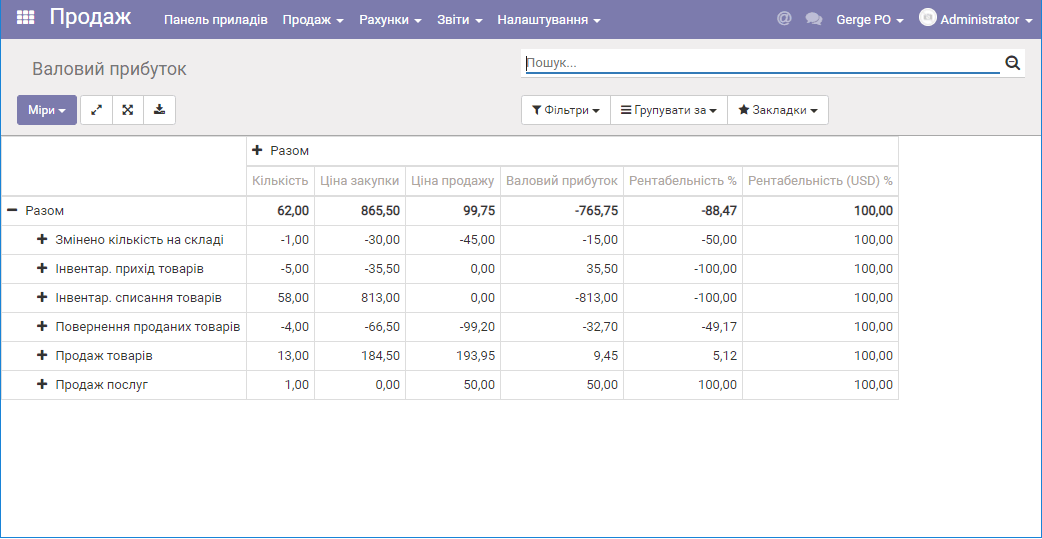
By default, the report is generated by stock movement type (by sales departments):
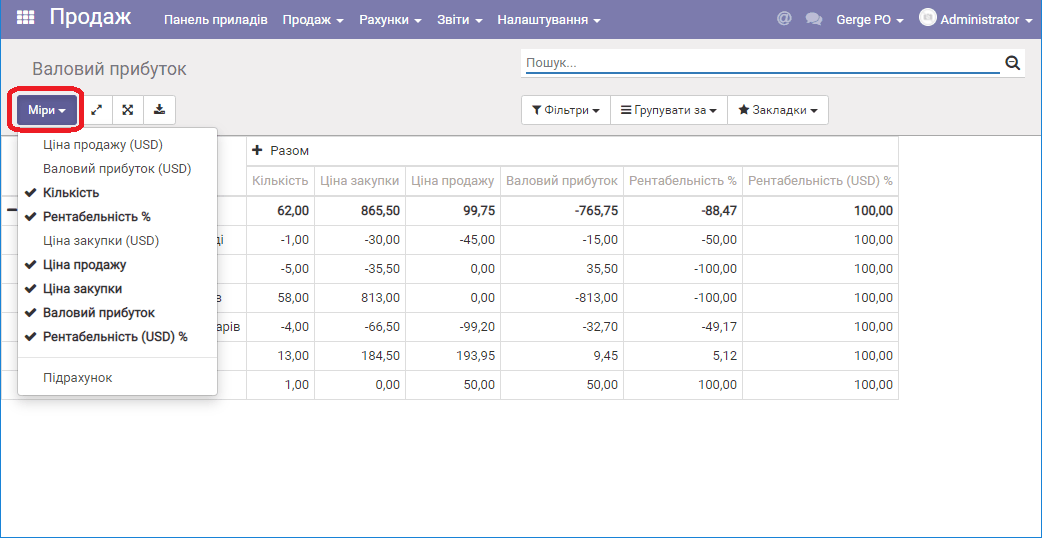
By selecting Measures, you can add columns to the report.
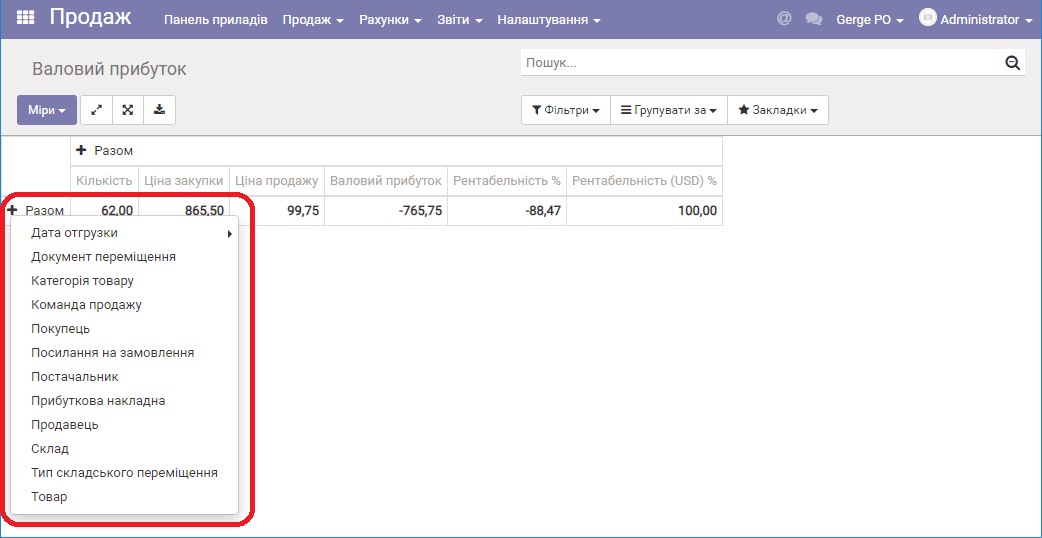
Collapse the Total column by clicking the "-" sign. Then click the "+" sign (total) and add additional groupings.
After generating the report with certain settings, if these settings will be used often, it is recommended to save them: click the Favorites/Save current list button.
Important: If you have not entered the purchase cost in the product card, the figures will be incorrect when the report is generated.
The program has services that include a cost price and services that do not, for example: delivery, rental. You must decide for yourself, at the level of your business processes, whether your services are production services.
Any service you provide can be presented as one that includes a cost price, for example, by allocating to it the fuel costs of the vehicle that performs the delivery. If services do not include a cost price, the program will show 100% profitability for them in the gross profit report.